
Order voucher
You can order the Tools United CRIBWISE direct account voucher by add-on through our Customer Management Portal.
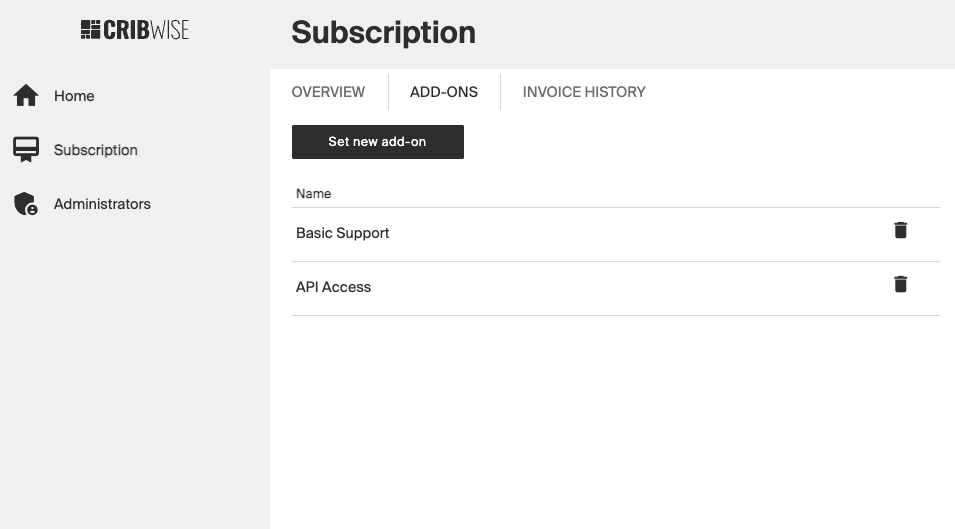
Go to Subscription menu and ADD-ONS tab, choose “Set new add-on”.
Select the” Tools United 12 month voucher” add-on
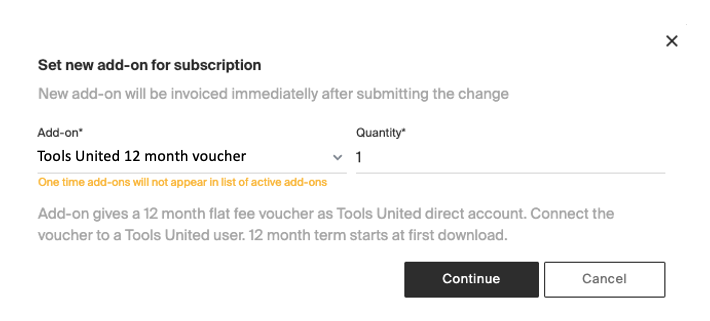
After completion a mail will be generated to the requestor with a voucher link. (This is manual process and can take 1-2 working days.)
Redeem Voucher/Coupon
If you are logged in to any Tools United account, log out from Tools United (https//www.toolsunited.com/App).
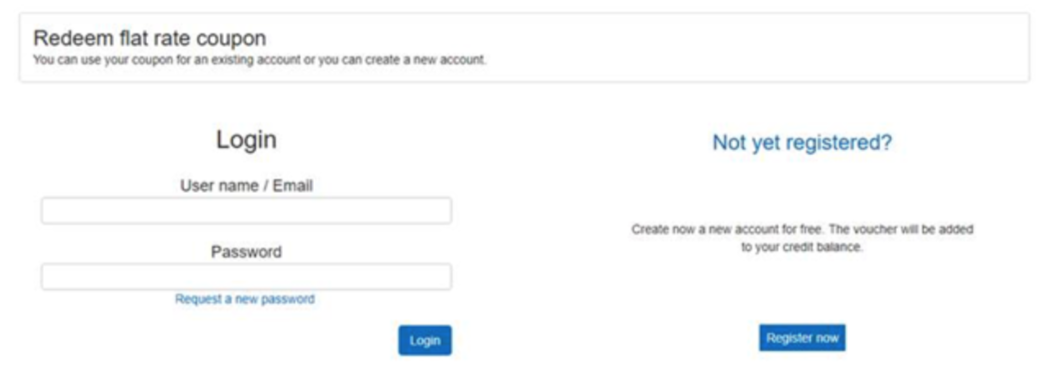
Click on the link that you received in the mail (Customer voucher/coupon distributed on mail) Login or create the account were you would like to have the CRIBWISE direct account voucher to be redeemed to.
Complete user data if something is missing Click “Use the flat rate coupon for the user XXX”
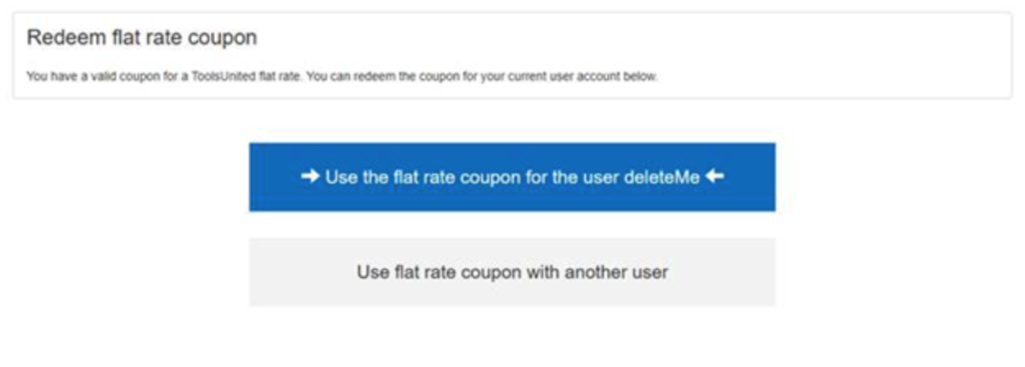
When the above step is completed, login with the user assigned from CRIBWISE application. CRIBWISE | Manage items – Import items from catalogs