Use the attached manual to set up the RFID reader correctly.
Use PuTTY instead of HyperTerminal, as described in the manual. Make sure the scanner reads the card data correctly. Right now, ASK Guard is changing the scanned data in a strange way.
This happens because of a setting in the Ask_guard.ini configuration file. Follow these steps to fix it:
- Close ASK Guard in the Task Manager.
- Open this file:
C:\ASK\INIs\Ask_guard.ini - Find the line that says:
MaskaRFIDMaska_Text=[1] [2]... - Change it to:
MaskaRFIDMaska_Text=
(remove everything after the equals sign) - Save the file and start ASK Guard again.
You can check if it works by:
- Starting ASK Guard and scanning in Notepad, or
- Opening PuTTY, connecting to COM2, and scanning a card.
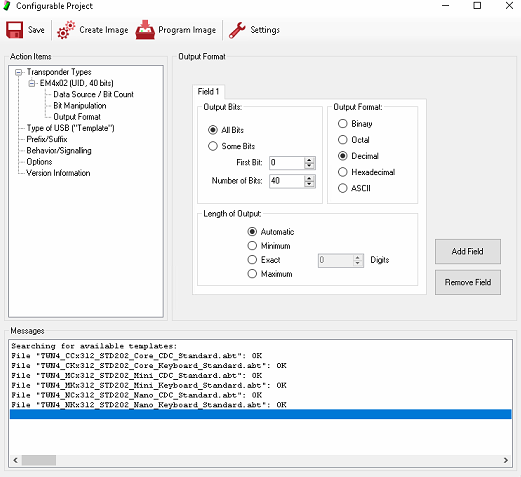
Other settings are done in the AppBlaster program found here:C:\DRIVERs\TWN4DevPack312d\AppBlaster
The scanner sends the ID in Hex, but SFI shows it as Decimal.
Note: When using the Tracker template to test which read option works, PuTTY will always show the value in Hex.
Most key fobs are using EM4x02.