
What you can do
Review all system-related events for a selected time period and filter them by user or event type – useful for auditing who did what.
How it works
The event log shows all system related events in selected time period.
Events can be filtered by user name (user, who invoked the event) and type. If event has been invoked without user action, ‘system’ is set as user name.
Note: Events from devices will be shown after devices are synchronized.
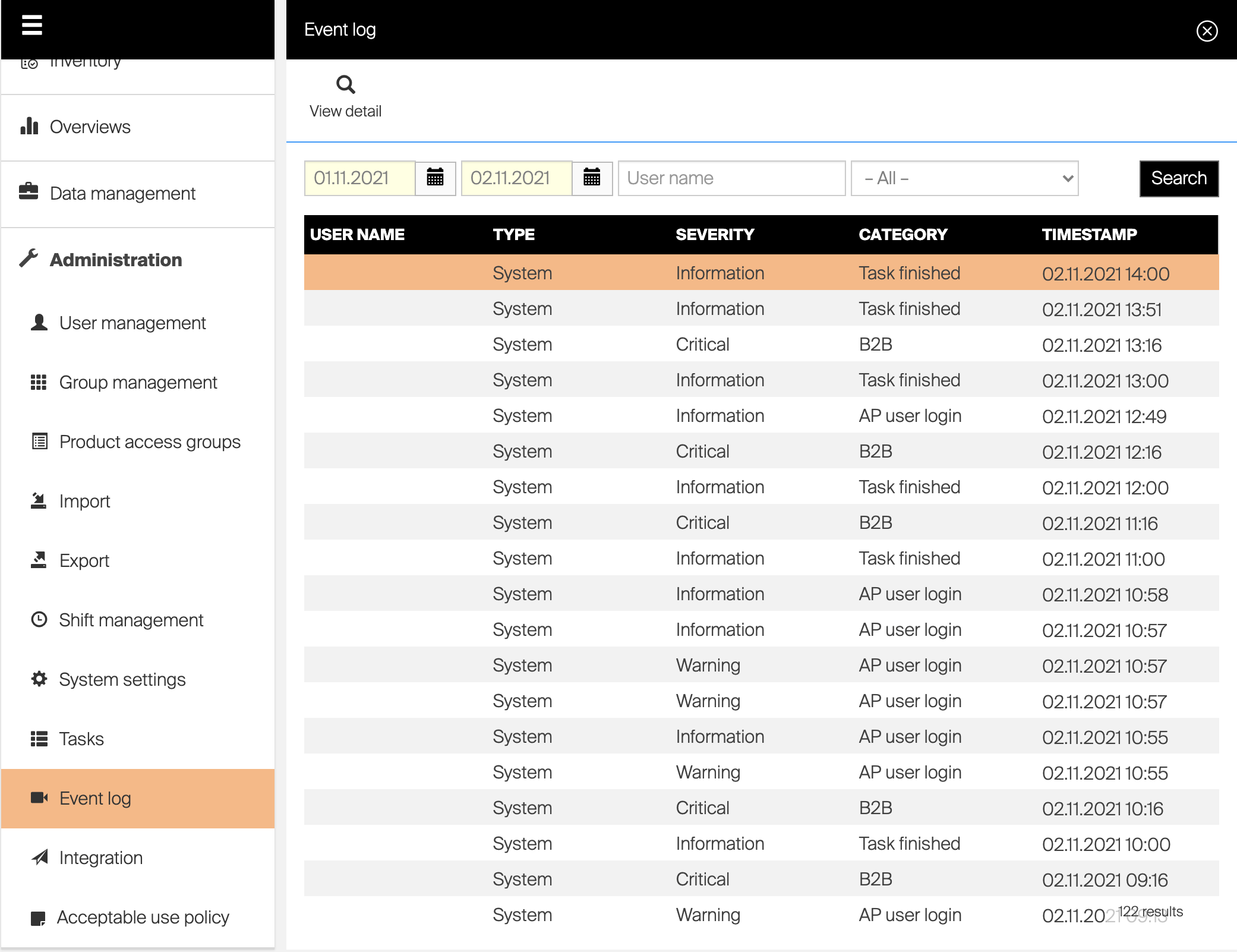
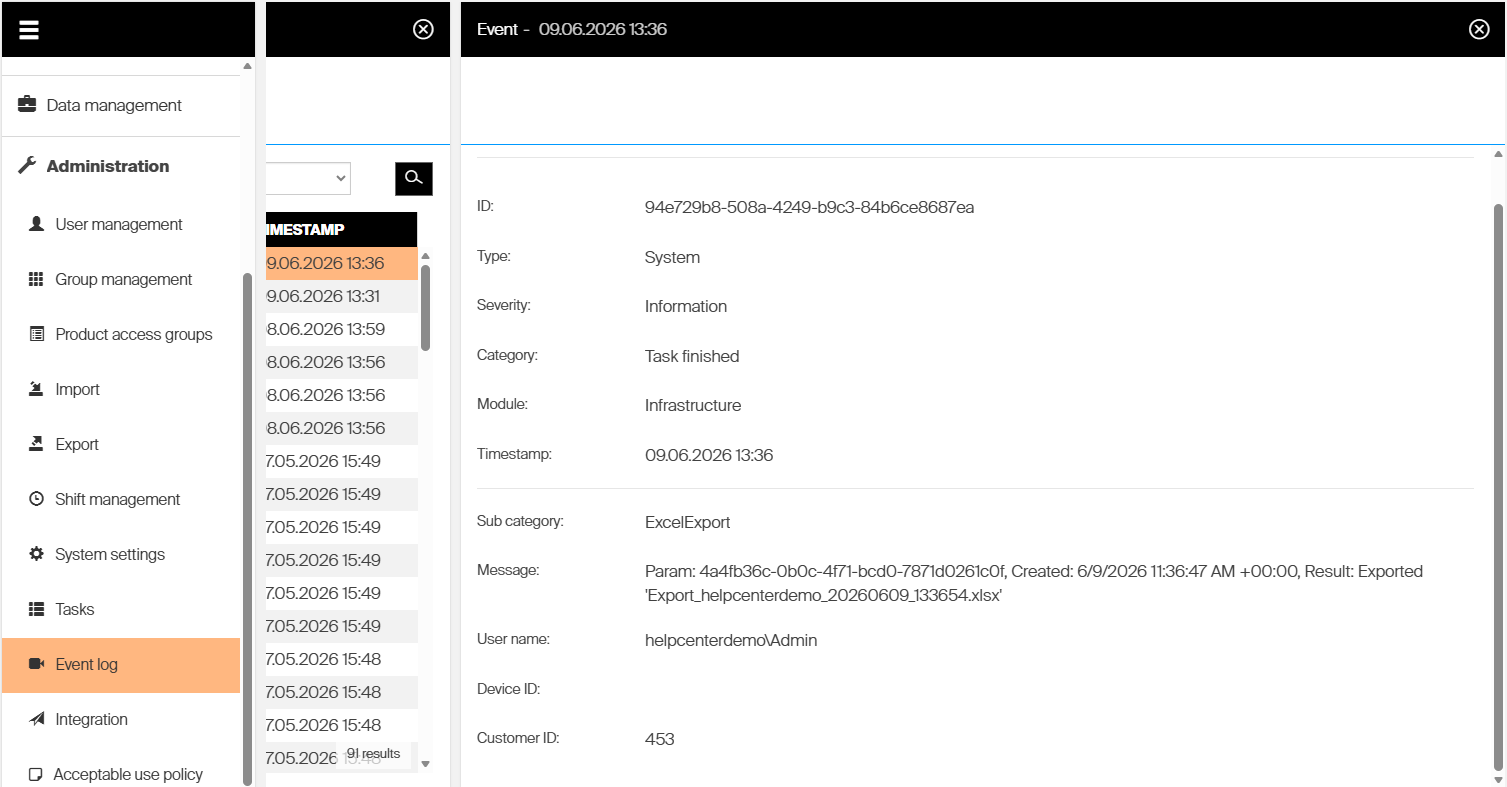
Important: Searchable timestamp can not be more than 30days
Troubleshooting
| Problem | Likely cause | Fix |
|---|---|---|
| Device events are missing from the log | The devices have not synchronized yet | Wait for the devices to synchronize -” their events appear afterwards. |
| An event shows system as the user | The event was invoked without a user action | This is expected. system indicates an automatic, non-user event. |
| An expected event is not listed | It falls outside the selected time period | Adjust the time period, then filter by user name or type to narrow the results. |
Related articles
- How to export data from the system — export system data to Excel.
- All system settings quick reference — configure system-wide behavior, access control, and diagnostics.
- How to create and manage users — manage the users whose actions appear in the event log.