
Each item can have an alternative item selected. This alternative item can then be picked instead once the main item is out of stock.
To setup alternative item, see Related items. If this alternative item has also an alternative item set, this alternative will become available for the main item as another substitute. This allows to create a chain of substitute items, which can be offered to operator as replacement in case when the main item is out of stock.
To pick an substitute (alternative item) during picking, select item which is out of stock. Quantity of all alternatives available to be picked instead will be shown (1) in the list for out stocked items.
Or alternatively show related items for item in the list (2).
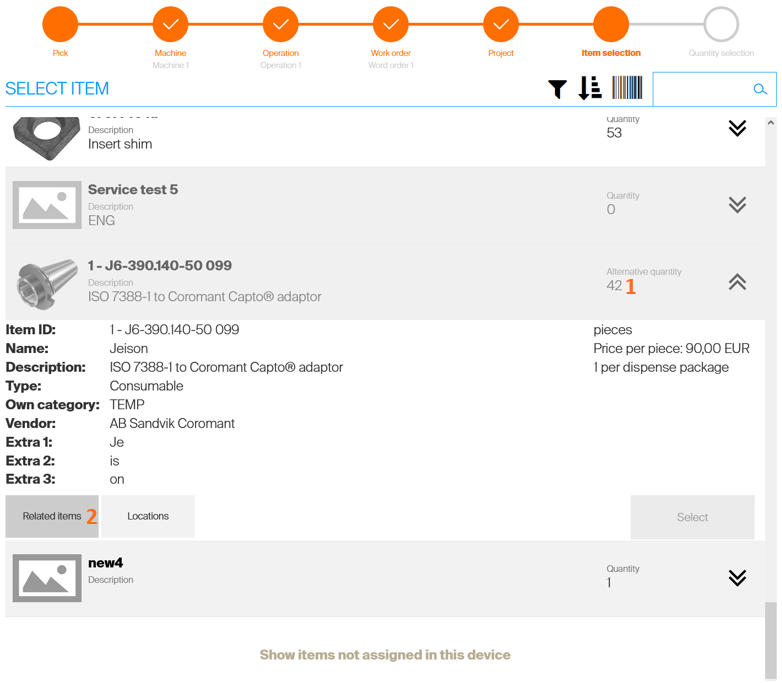
All alternative items (alternative item set for the main item and also all inherited alternative items) will be listed. If any alternative item has quantity available, select the item to continue pick flow with this item.
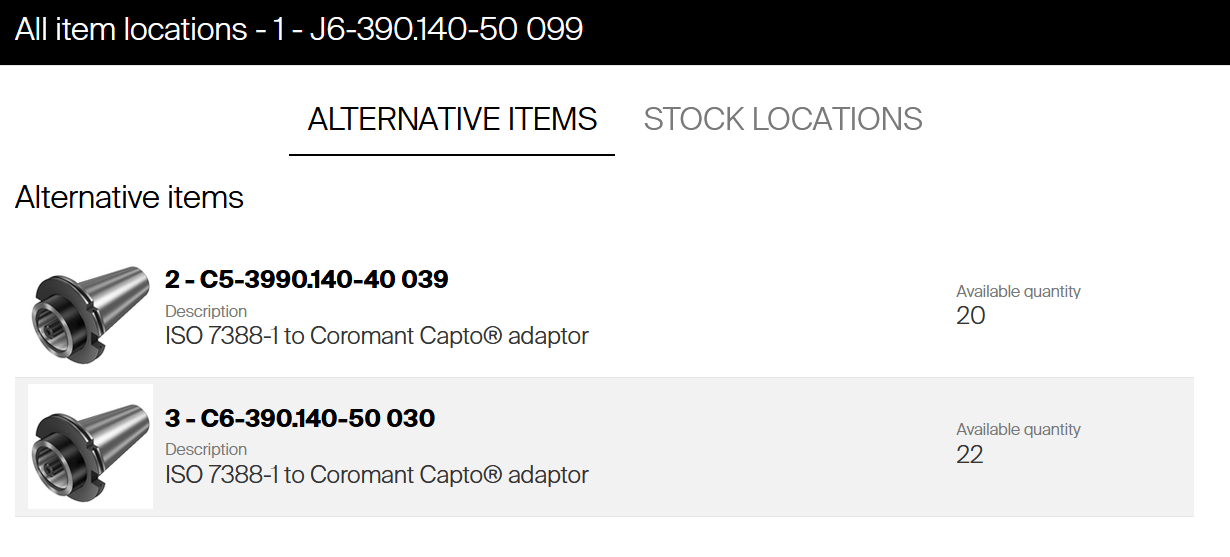
The example above shows setup, when item 1 has alternative set to item 2 and item 2 has alternative set to item 3. Due to his chain, item 3 became inherited alternative to item 1 and is available as its substitute. In this scenario, all three items are available for pick – they are in status Released.
Operator can select to pick any of these three items directly. Operator will see item 1, item 2 and item 3 in list of items during pick and can proceed with picking of any of these (if it is not out of stock).
To control that alternative is picked only when its main item is out of stock, phasing in can be setup.
Phasing in alternative items
Phasing in of items can be applied to setup more control about usage of alternative items. When alternative item is in status Phase in (see item life cycle for more information), it will not be available for pick unless its main item is out of stock. The phasing in can be setup in following way, involving also inherited alternative items:
- Item 1 in Released (or Phase out) state, with Item 2 set as alternative.
- Item 2 in Phase in state, with Item 3 set as alternative.
- Item 3 in Phase in state.
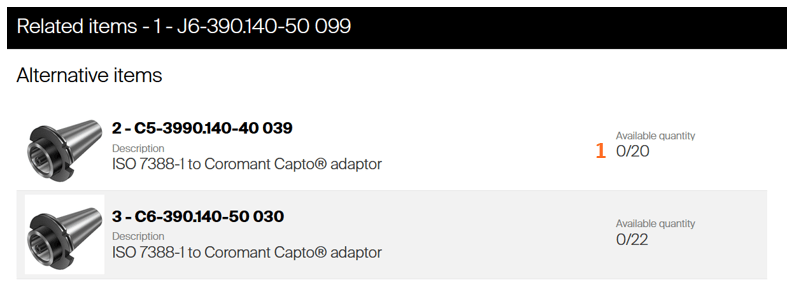
With this setup, Item 2 and Item 3 will not be shown in list of items for pick, these items cannot be picked by operators directly. When item 1 is available in stock, these two items are shown as item 1’s Related items, but they cannot be picked, even though they are available in device. This is indicated by Available quantity shown as 0/x (1).
After the item 1 is stocked out (is not available in device anymore), next item in the chain will become available, making item 2 possible to be picked as a substitute for item 1.
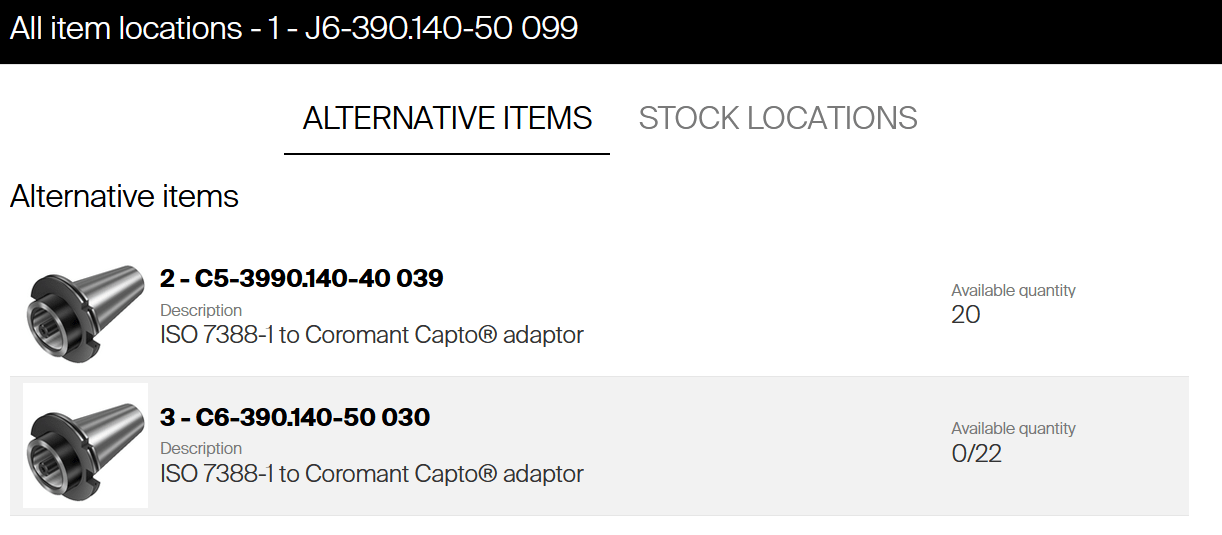
Item 3 is still not available; this item will become available as substitute of item 1 only when both items 1 and 2 are out of stock.
Restocking item 1 will again disallow picking items 2 or 3 as a substitute for item 1.
When item 1 is phased out (it should be replaced by item 2 and will not be supplied anymore), changing status of item 2 to Released will make the item 2 available for operators.