
Following interfaces allows to work with manufacturers.
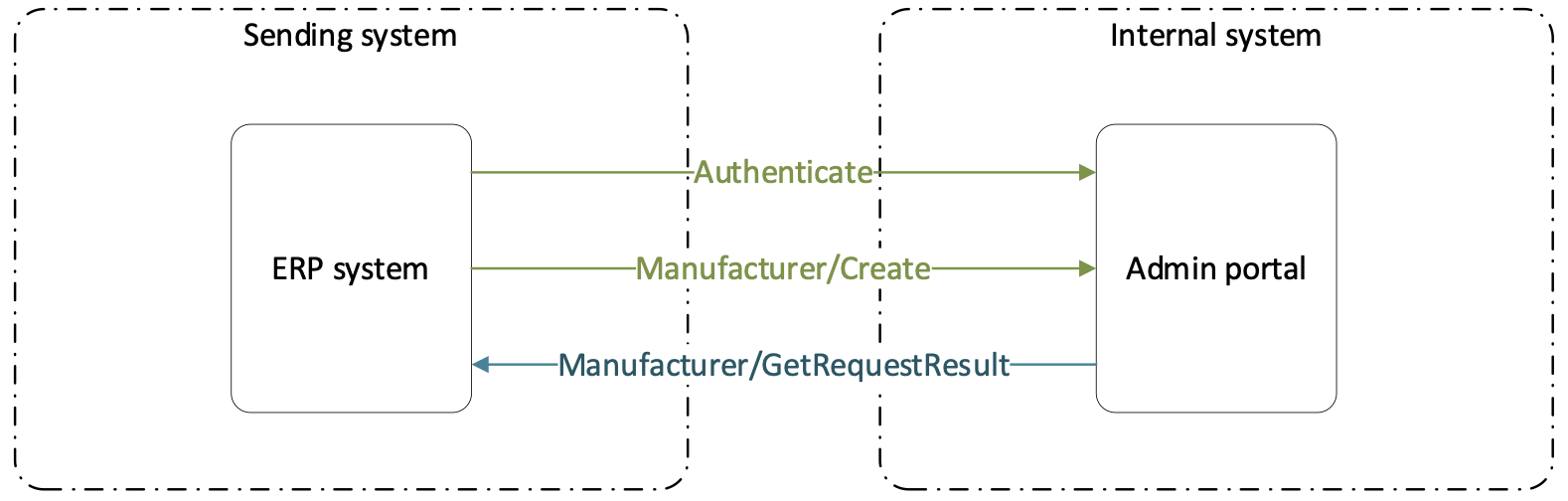
Manufacturer/Create
URL
{url}/ERP/Manufacturer/Create
Type POST
Description Interface allows to create new manufacturer. ManufacturerId and Name must be unique and both information is mandatory to create a new manufacturer.
Schema Type information are marked orange in the schema. Values marked in bold are mandatory information. Values marked in blue must refer to existing entity.
[ { "Name": "string", 100 "ManufacturerId": "string" 100 } ]
Manufacturer/GetRequestResult
After API method is successfully called (response code 200), GUID of the request is returned in response. This GUID can be used to check status of the request.
URL
{url}/ERP/Manufacturer/GetRequestResult
Type GET
Parameters
| Key | Value |
requestGuid
|
GUID returned by calling POST method |
Description Method returns result of create/update method based on GUID of previous calling. For the request, following statuses can be shown:
- ‘Created’ – Request has been received but it has not been added to task queue yet
- ‘Ready’ – Request has been added to task queue and is currently waiting to be executed
- ‘Running’ – Changes are currently in progress according the request
- ‘Completed’ – All changes required by the request has been finished
- ‘Failed’ – Request has failed to be performed
All changes are described in Result array:
- ‘Errors’ – Object has not been created/updated/deleted due do validation error
- ‘Created’ – Objects successfully created
- ‘Updated’ – Objects successfully updated
- ‘Deleted’ – Objects successfully been deleted
If any validation errors are found, these errors are listed separately for each object referring to invalid parameter.
Schema
{ "Message": "string", "Status": "Created", "Result": { "CreatedManufacturers": [ "string" ], "Errors": [ "string" ] } }