
Move operation is performed, when cost allocation of picked item is changed. For example, if item is used on another machine. To move item to another cost allocation, select Move picked item option from the main menu.
This option is not visible in the main menu if user does not have permission to do the operation or cost allocation is turned off in the system.
Then select item and cost allocation from list of all picked items. Initially items picked by current user are shown. To show picks of all users, select Show all option. Items and cost allocations can be searched with search field by keyboard or scanner.
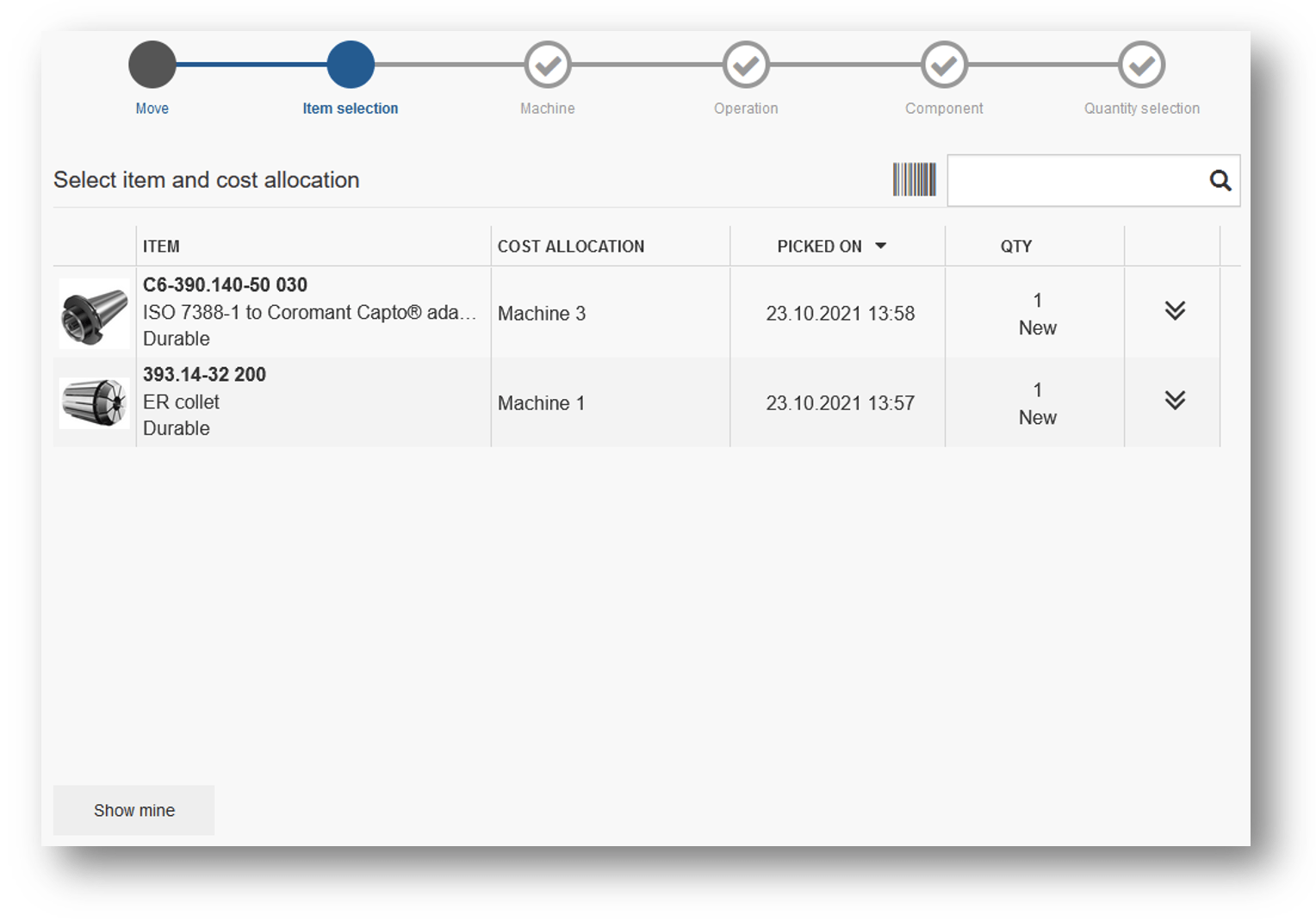
When item and its current cost allocation is selected, application proceeds to selection of new cost allocation. This process is similar to cost allocation selection during picking operation. To continue, select new cost allocation.
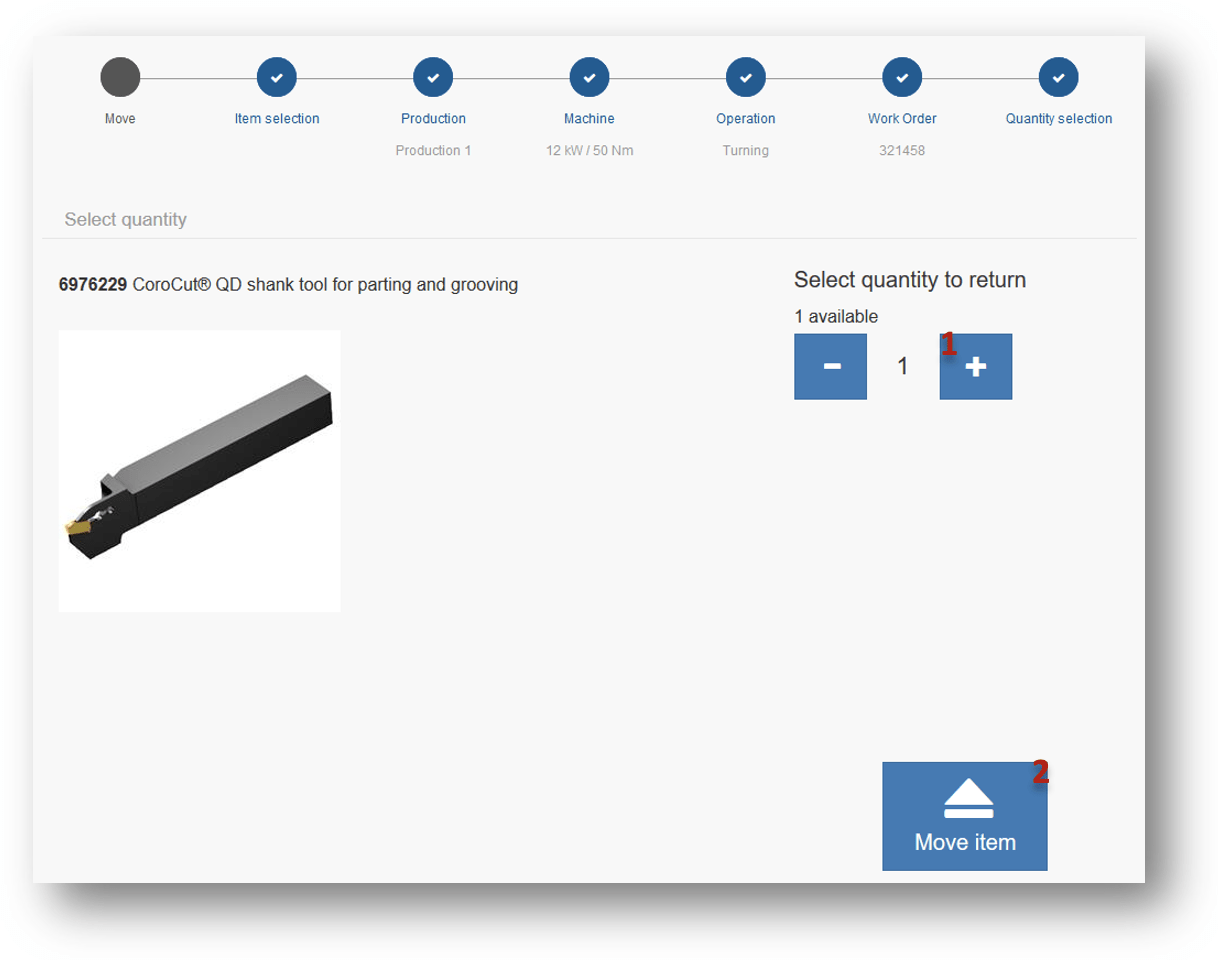
As a last step, select quantity to move
(1) and select Move item button
(2). Item is then moved to a new cost allocation.
Move operation is considered as returning and picking the item again. Thus move can generate additional cost to newly selected CA.