
In case of hardware failure or any other case, when specific stock location should not be used by users, stock location can be disabled.
For disabled stock location, all assigned items are removed, new item assignments cannot be created and this location will not be offered as available space in SFI flows.
Disabled location can be enabled again to use it again in production.
Locations can be disabled/enabled only when device is locked or not yet synchronized or when location is in not released storage device.
See Avoiding synchronization conflicts article.
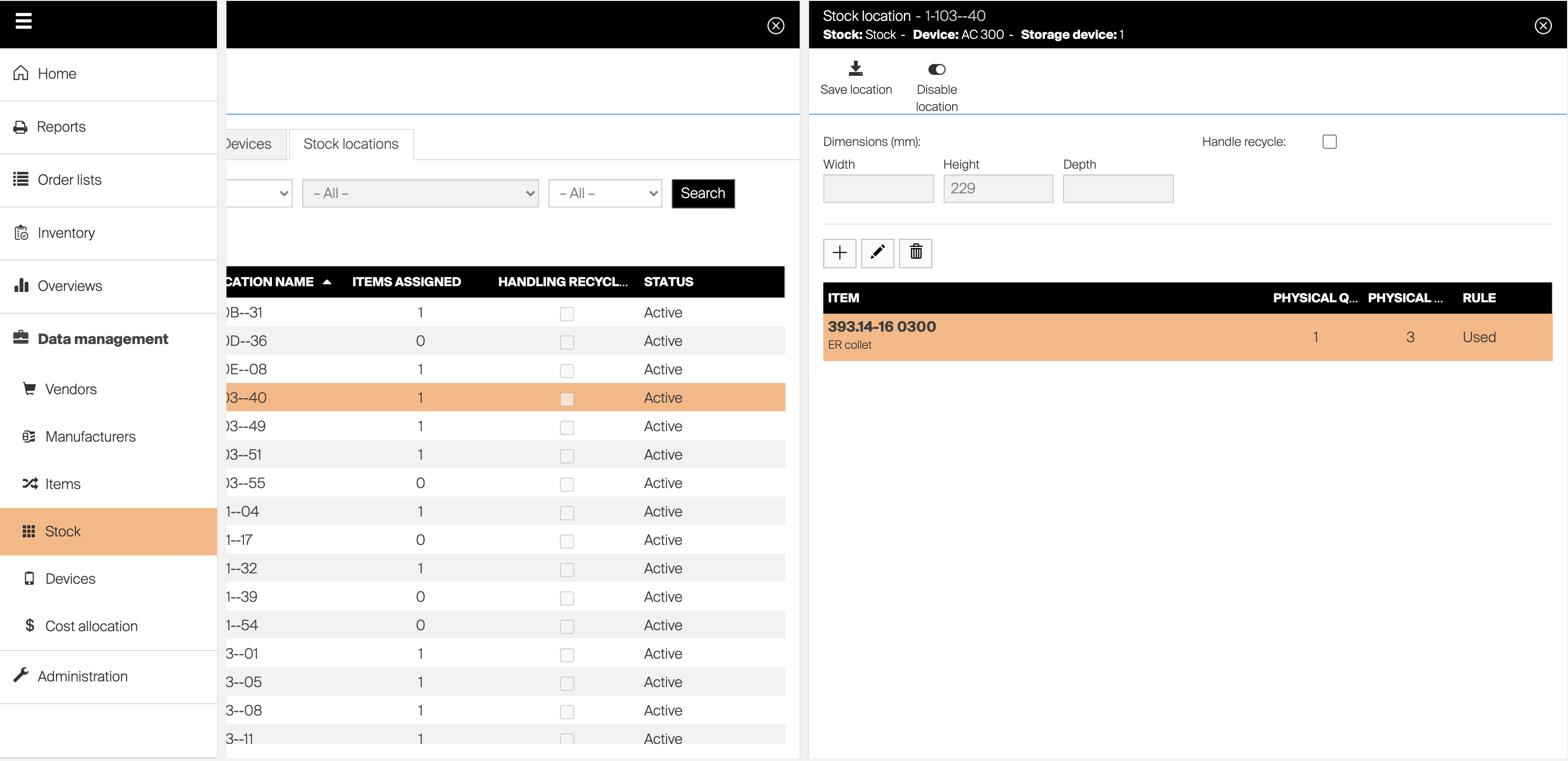
To disable location, navigate to stock location detail (lock device first if device is running in production).
Select Disable location option from the option bar.
All assigned items will be removed, option to assign new item will be disabled, and location will not be offered when new assignment is created from item detail.
On SFI, location will be marked as disabled in list of all locations.
To enable disabled location, select Enable location option from the option bar of location detail (lock device first if device is running in production). Following section describes how to setup specific storage devices and their modules.