Create and pick a new assembly
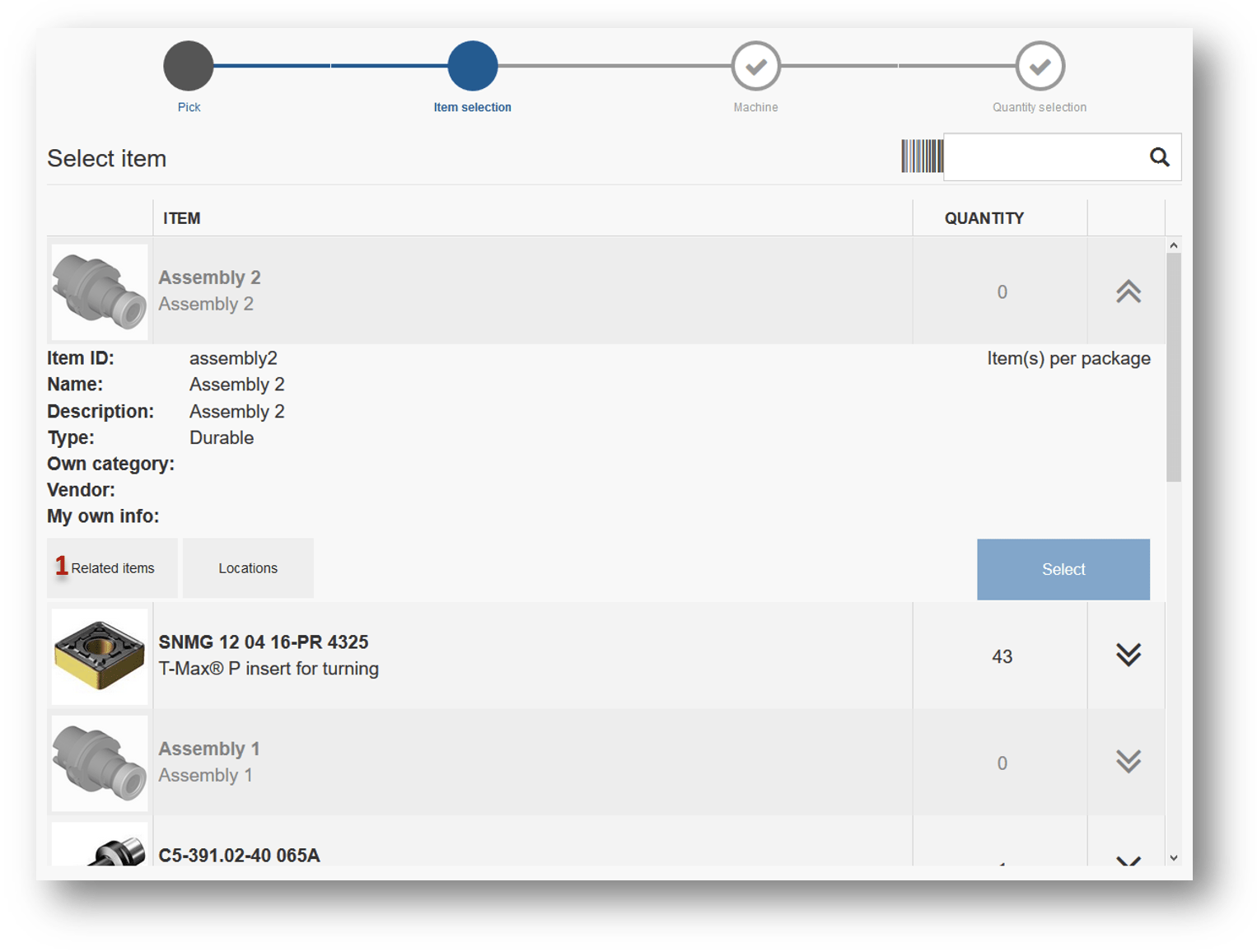
If some item is defined as assembly, SFI will allow to compose new assembly from contained items if these items are available in a device. To create an assembly, click on out of stock assembly in item list during picking
(1).
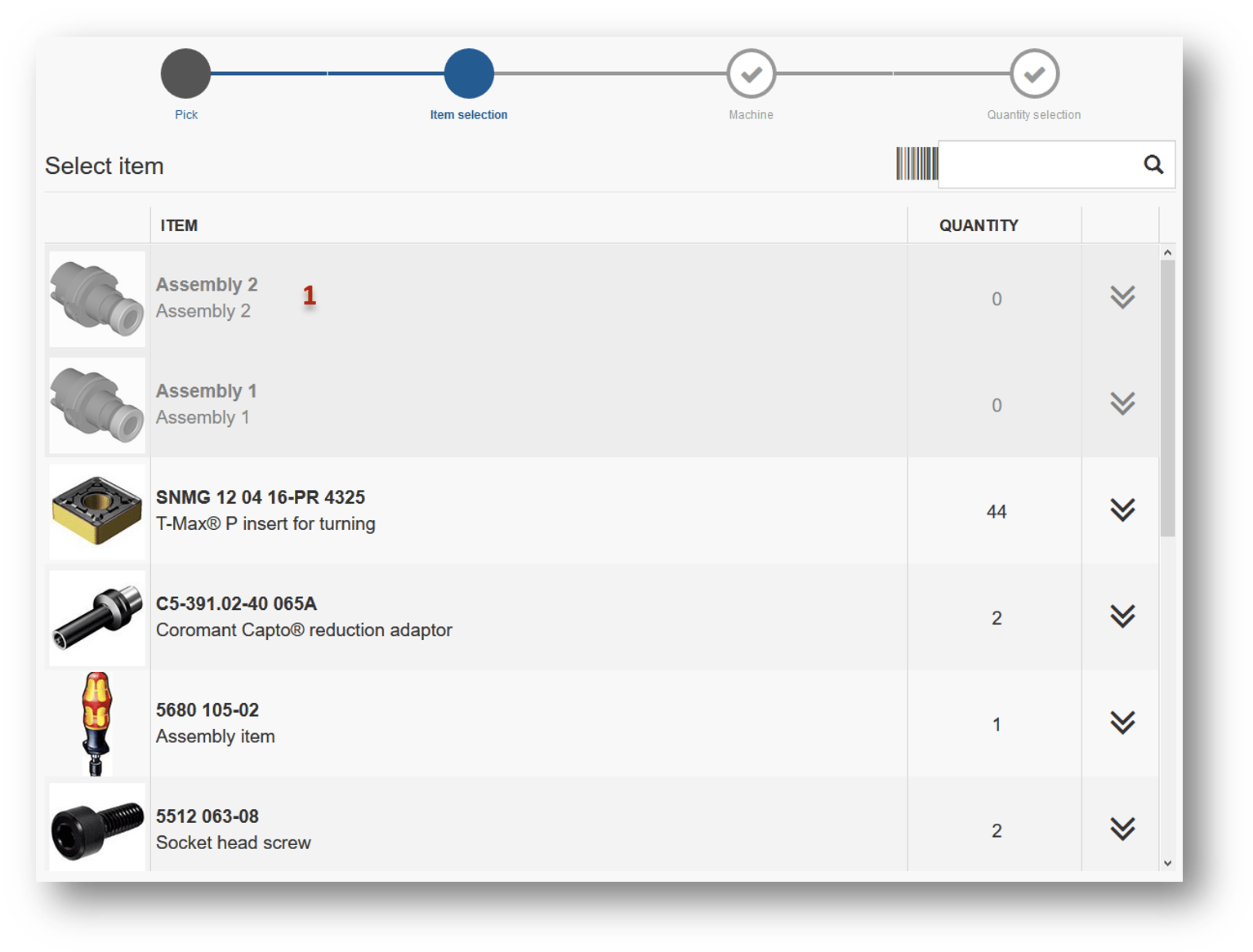
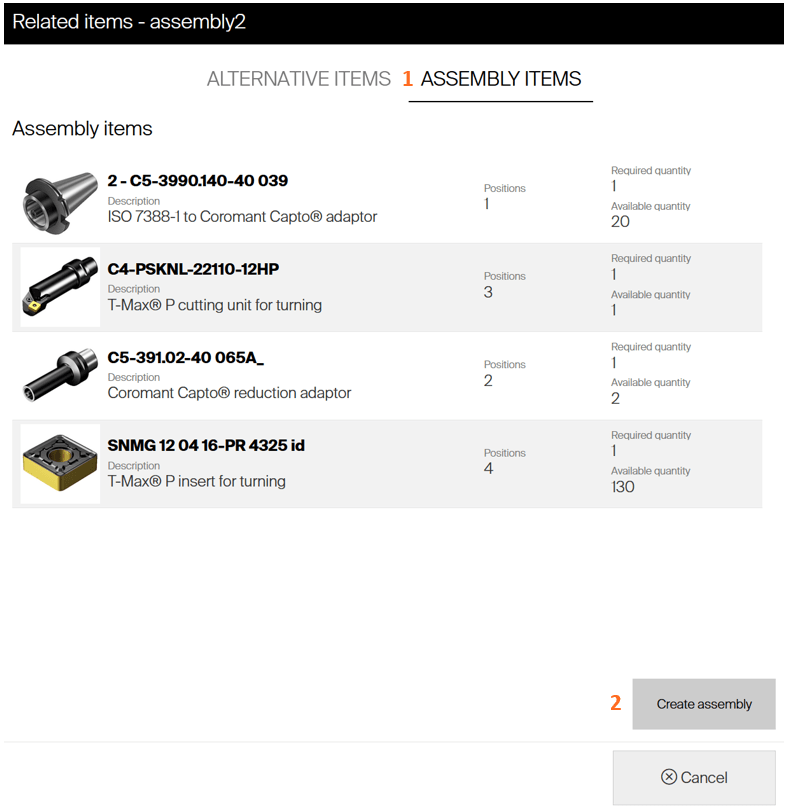
System will show where this item could be located within all stocks. Switch to see assembly items, if they are not shown already
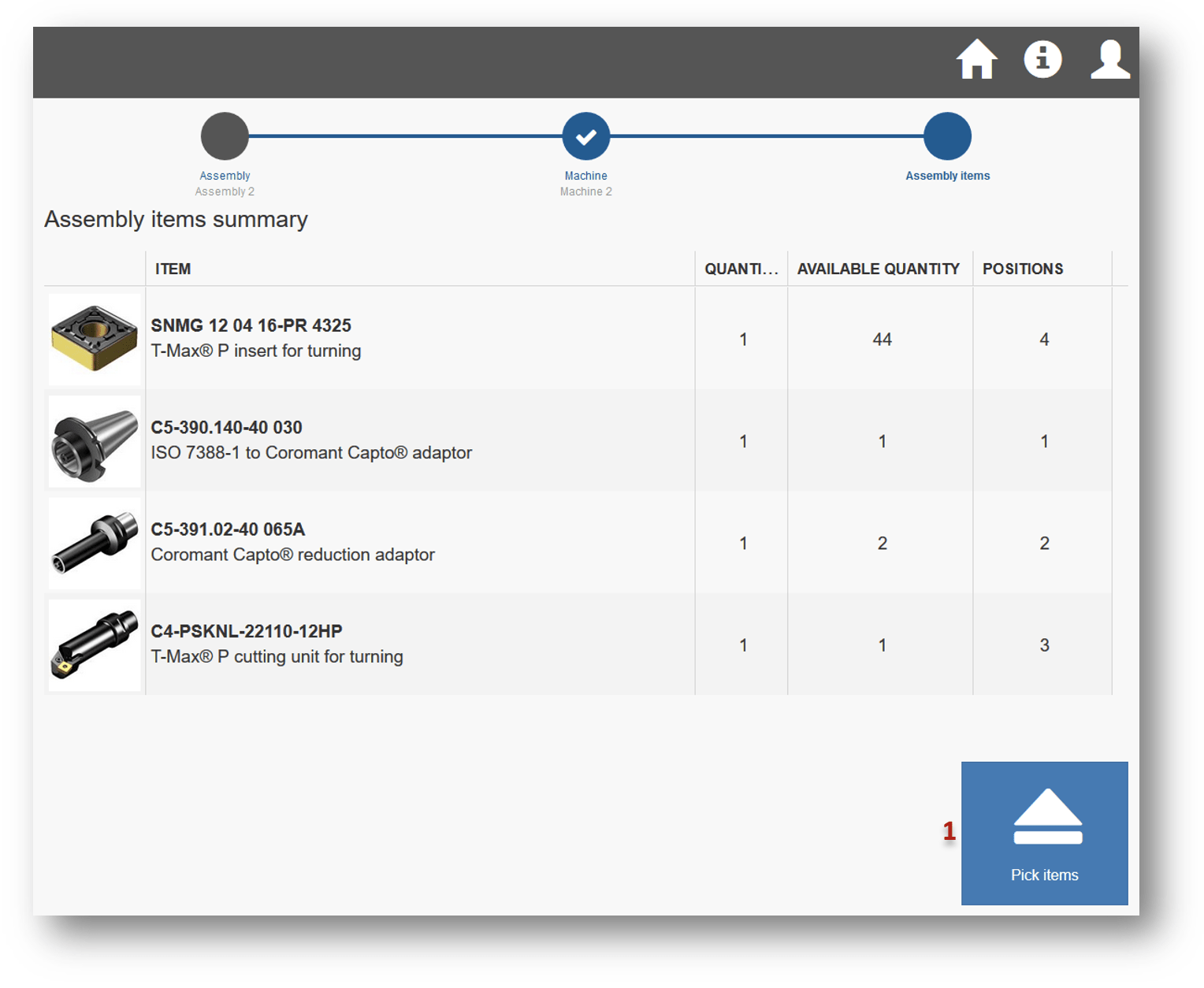
(1). If there are enough items to compose the assembly, button to create the assembly is shown
(2). Click the button to proceed.
Assembly can be created if all durable items from this assembly are available in a device and user is allowed to pick those items If there are item currently in a pick list, creation of a new assembly will remove clean this pick list

Proceed through cost allocation selection (same as for picking of items) and confirm items required for the assembly. It is possible that required consumables are not available. Assembly can be still created, consumables must be picked from another device tough. Proceed with pick
(1). If assembly is serialized, enter unique serial number for new assembly in last step.
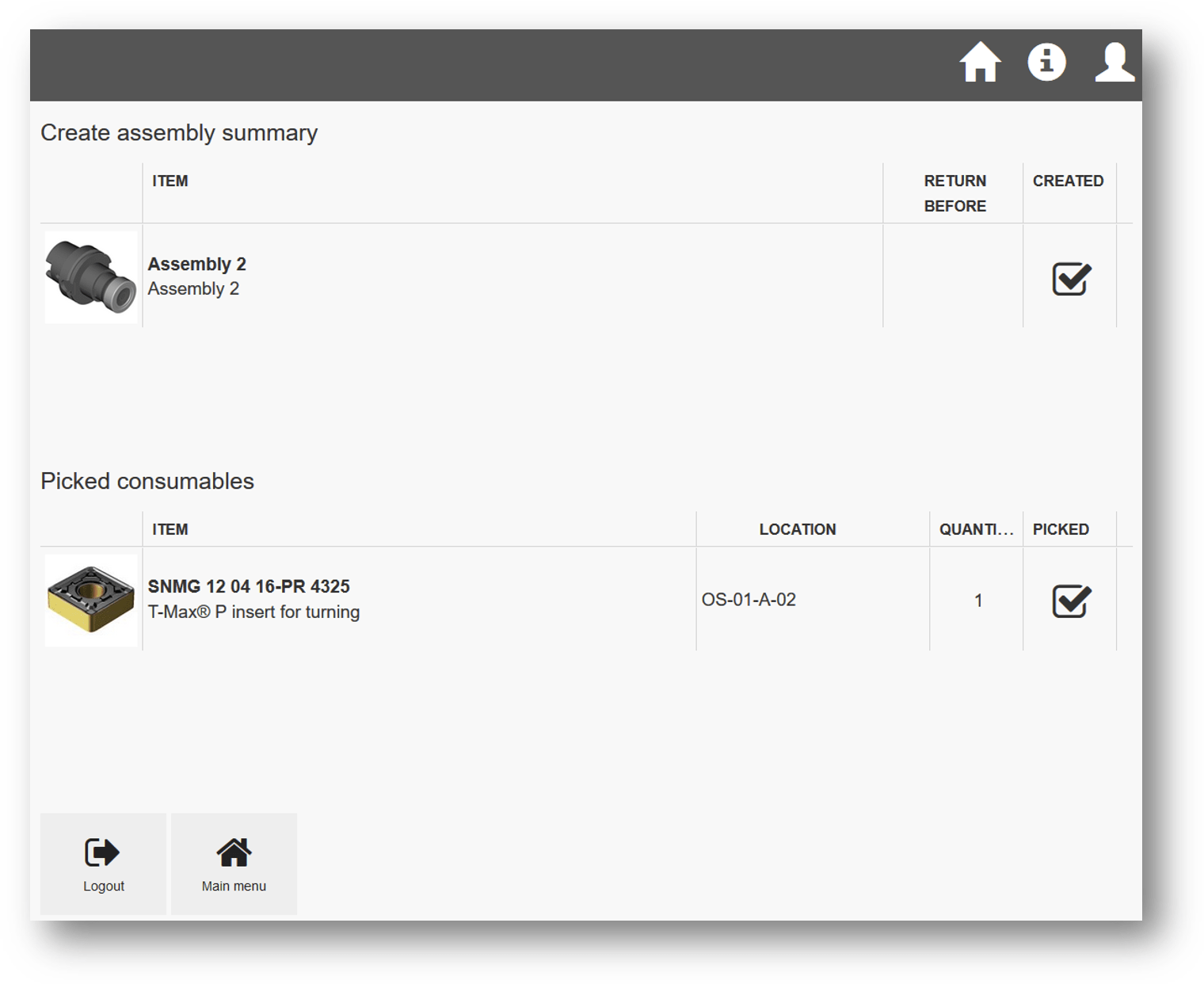
Pick items from locations. Once done, flow proceeds to summary with information about assembly created and all related consumable items picked. Used durable items are removed from the system and cannot be returned back. If some durable item is not picked during the flow, assembly is not created and rest of the items are handled as regular pick (cost is generated and they can be returned back to system).
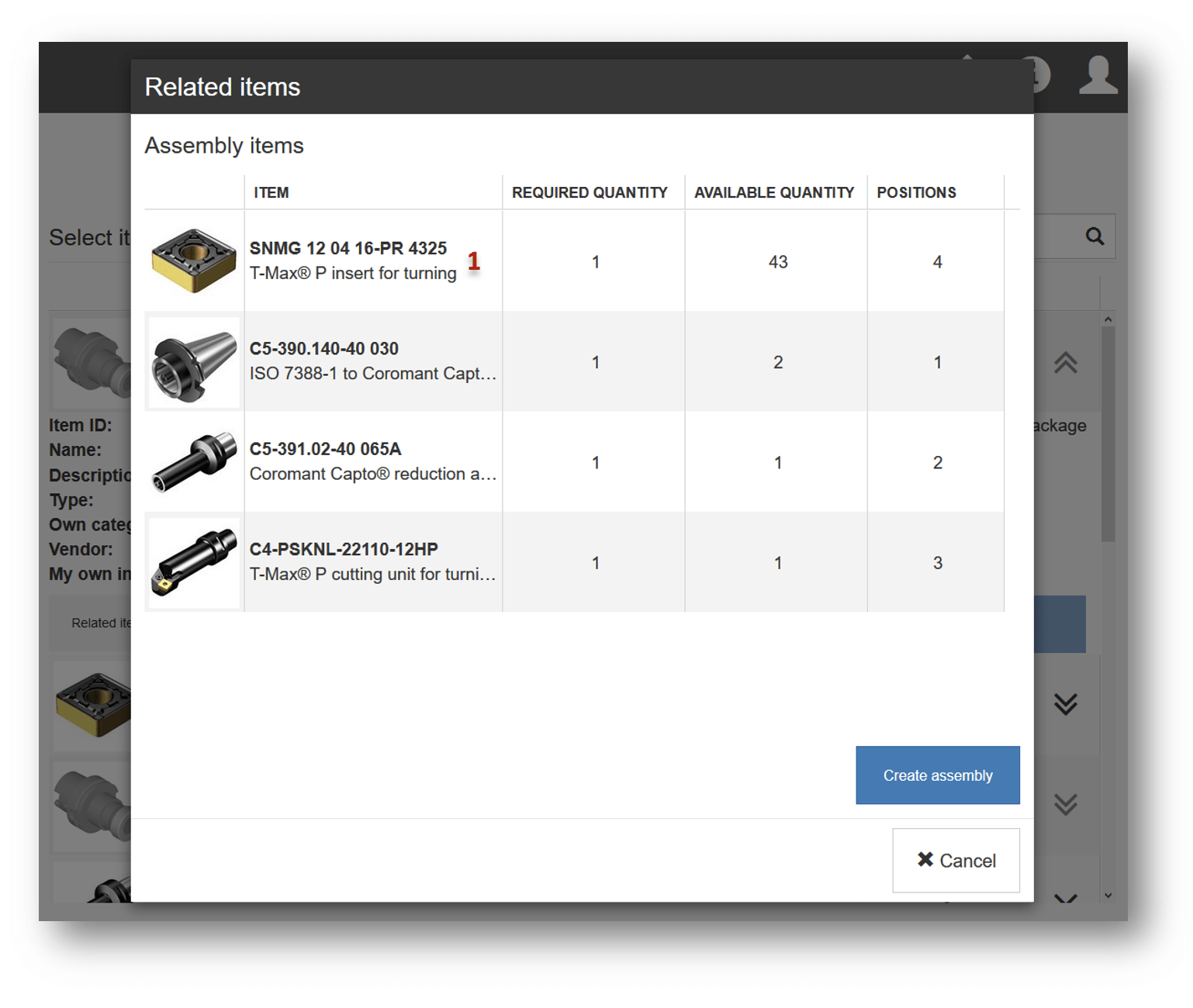
Create assembly from related items dialog
New assembly can be also created from dialog showing related items. Show related items for assembly from item list or item quantity selection during picking
(1). 
On assembly items tab
(1), press Create assembly button
(2). If there is enough durable items available, create assembly flow will be started.
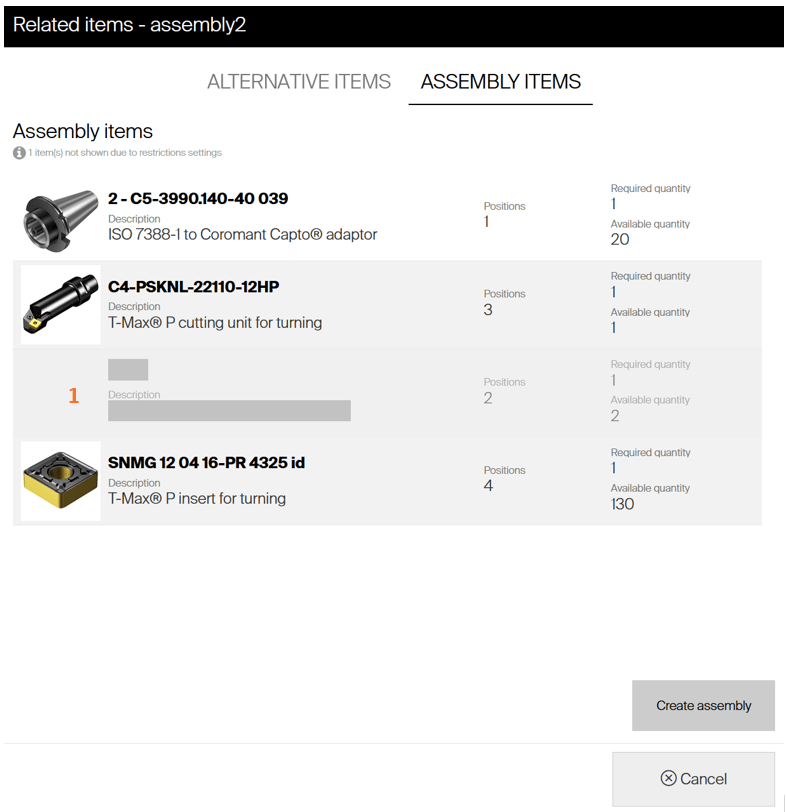
If there is some item in assembly restricted for current user, placeholder is shown in the list indicating that some item from assembly cannot be picked
(1):
Stock a new assembly
If a new assembly is about to be stocked to the system, there are two options how to place it to a location:
- Place an assembly to a location during assignment process. Assignment process for assemblies works similar to other item types, allowing to place physical items to locations during the process when assembly is being assigned to a new location.
- Stock assembly via restock flow. It is possible to stock assemblies to device using restock without order. As assembly does not have any vendor assigned, all assemblies are available for this flow.
Pick consumables for assembly
For existing assemblies, required consumable items can be listed and picked. To pick required consumable item, show related items for assembly from list of items or from quantity selection step during pick. Click on required consumable item to select this item for pick.
(1) If item will not be available in this device, system will show information where this item can be picked or when it can be expected to be restocked