
Product access groups (PAG) serve to restrict access to specific items to specific users within system.
Each group is identified by name (text description can be added).
To enable filtering by access groups, group must be assigned to user or user group.
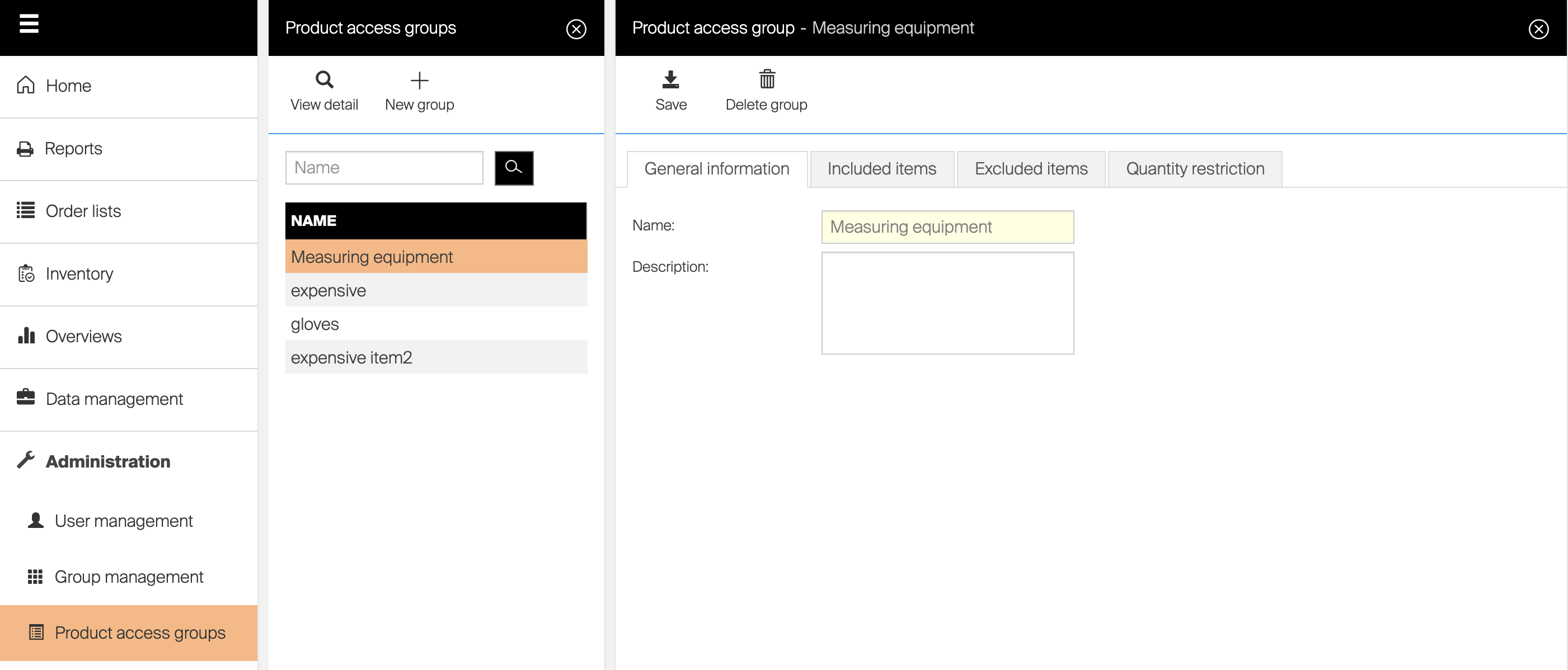
PAG management is separated to three areas:
Included items
List of included items contains set of items, which will be accessible on AP (Admin Portal) and SFI (Shop Floor Interface).
Items outside of this list will not be visible for users or user groups with this group assigned.
If user is restricted by more than one include list, these include lists are combined – user will have access to all items included in at least one of these lists.
To activate restrictions based on this list, select Activate include list checkbox.
Excluded items
List of excluded items contains set of items, which will not be accessible on AP (Admin Portal) and SFI (Shop Floor Interface).
Items inside of this list will not be visible for users or user groups with this group assigned.
If one item is defined on both include and exclude lists, this item is considered as excluded.
If user is restricted by more than one exclude list, user will not have access to all items, which are excluded by at least one of these lists.
To activate restrictions based on this list, select Activate exclude list checkbox.
Quantity restriction
Quantity restriction option enables to restrict users to pick only specified quantity/value of specified items per selected time period. After end of this period, restrictions restart. Restrictions can be specified by:
- Pieces – maximum pieces available for pick is specified
- Value – maximum value of picked item is specified (based on standard cost of item)
Time period can be specified per:
- Number of hours/days (one day stands for 24 hours)/weeks (one week stands for 7 days)/months (one month stands for 30 days)
- Shift (shift must be defined in system) – items picked outside of shift time are not restricted
- Pick
The time period applies to each item separately. For example, if an item has a one-month limit of 2 pieces, the system will check how many pieces have been used in the last 30 days before allowing another pick.