
Release overview
On Sunday evening, September 11th, we will deploy a new version of CRIBWISE. The Administration Portal (AP) and cloud devices will be down for a few minutes during the update. This new release is filled with many interesting changes. One key area that has gone through a major update is the management of serialized items.
With this release, we also deliver several user experience updates; mainly in the fields of transfer lists between stocks, and service lists with internal vendors. View the highlights and more details below.
Highlights
Enhancements to the serialized items management
We are happy to publish a complete redesign of the management of serialized items. This covers improvements and new capabilities in the Admin Portal and most scenarios in the ShopFloor interface.
New capabilities:
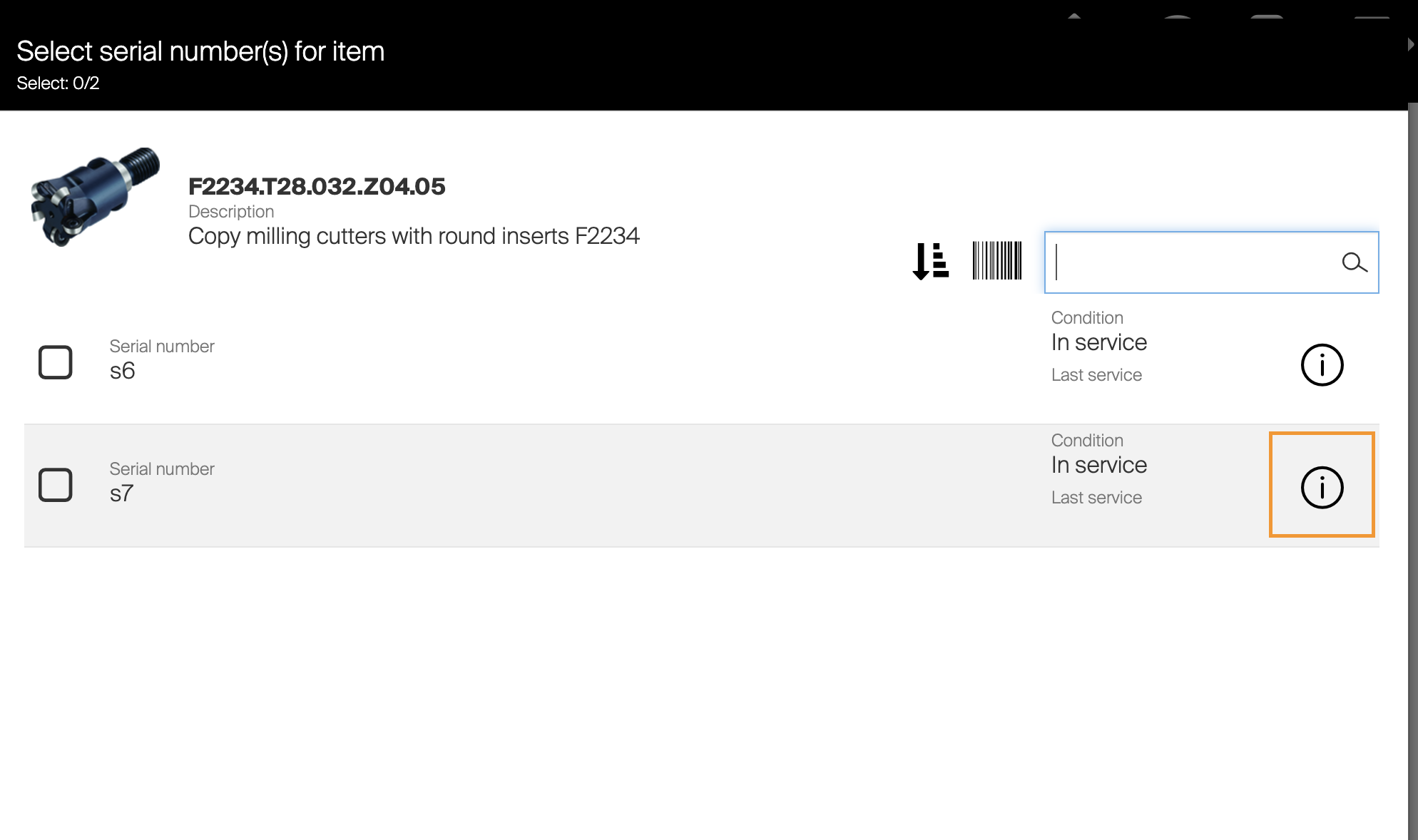
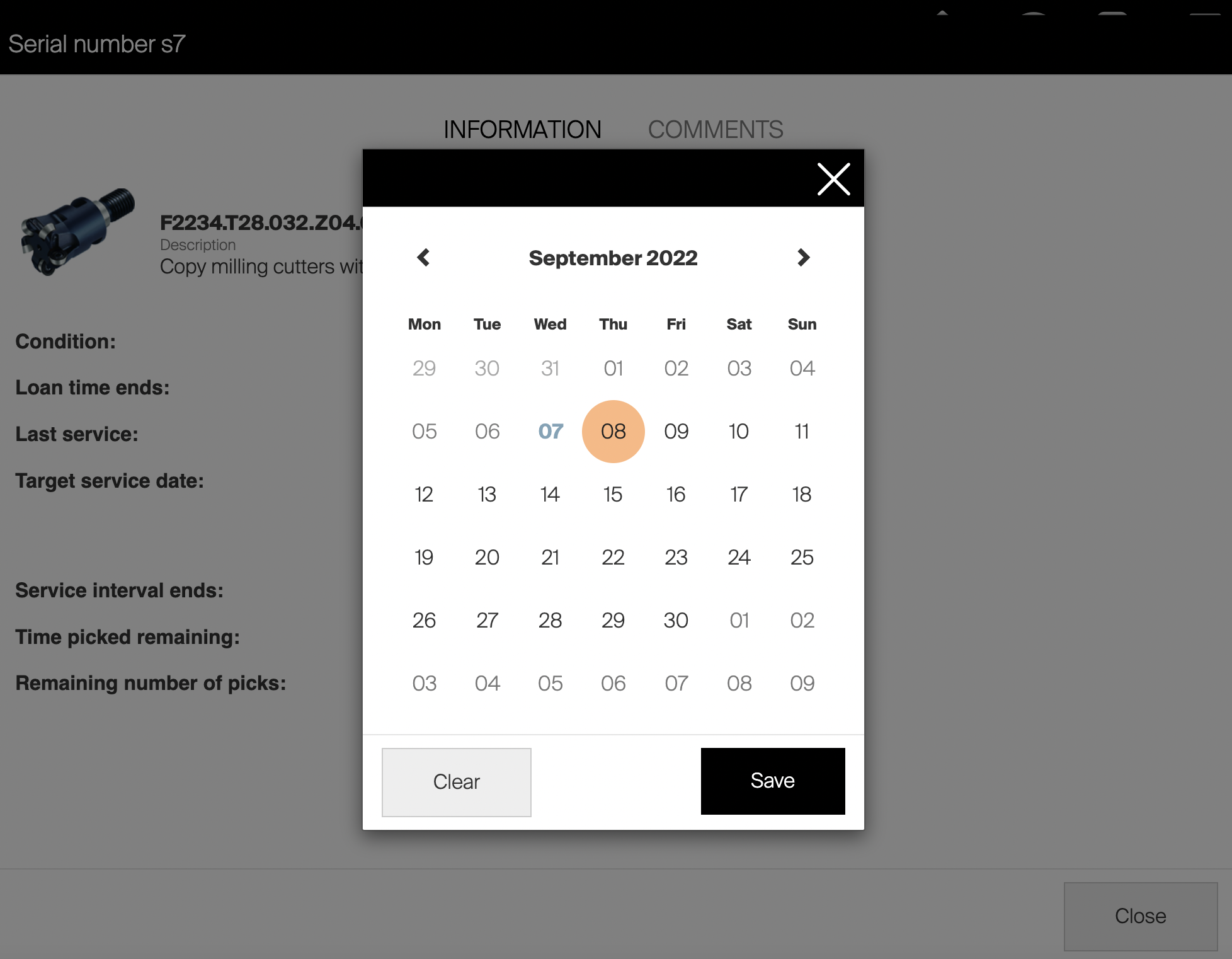
- Be able to manually set service date from ShopFloor interface upon restock from service or purchase.
- Set Service date manually!
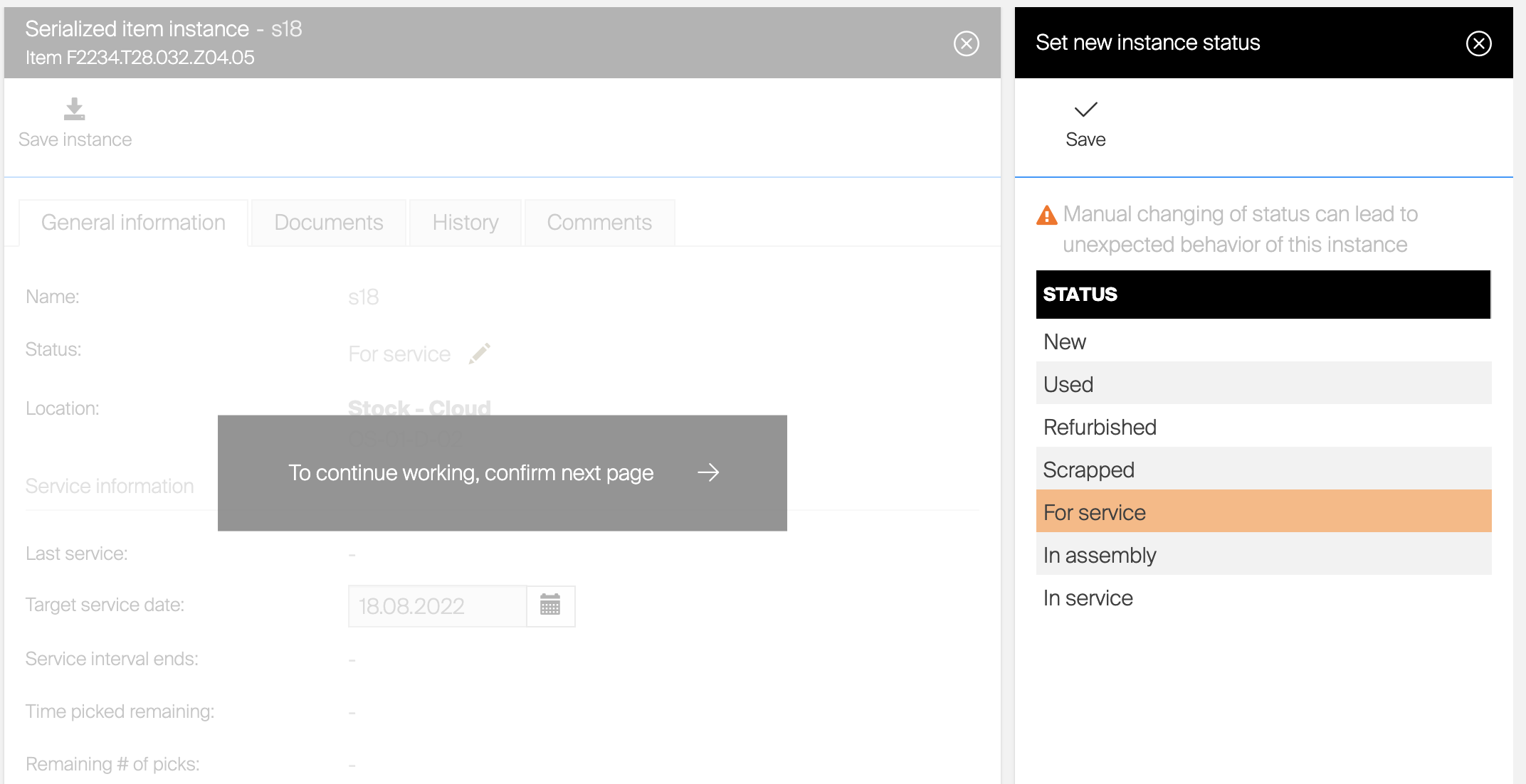
- On Admin Portal you can change the status of an instance manually.
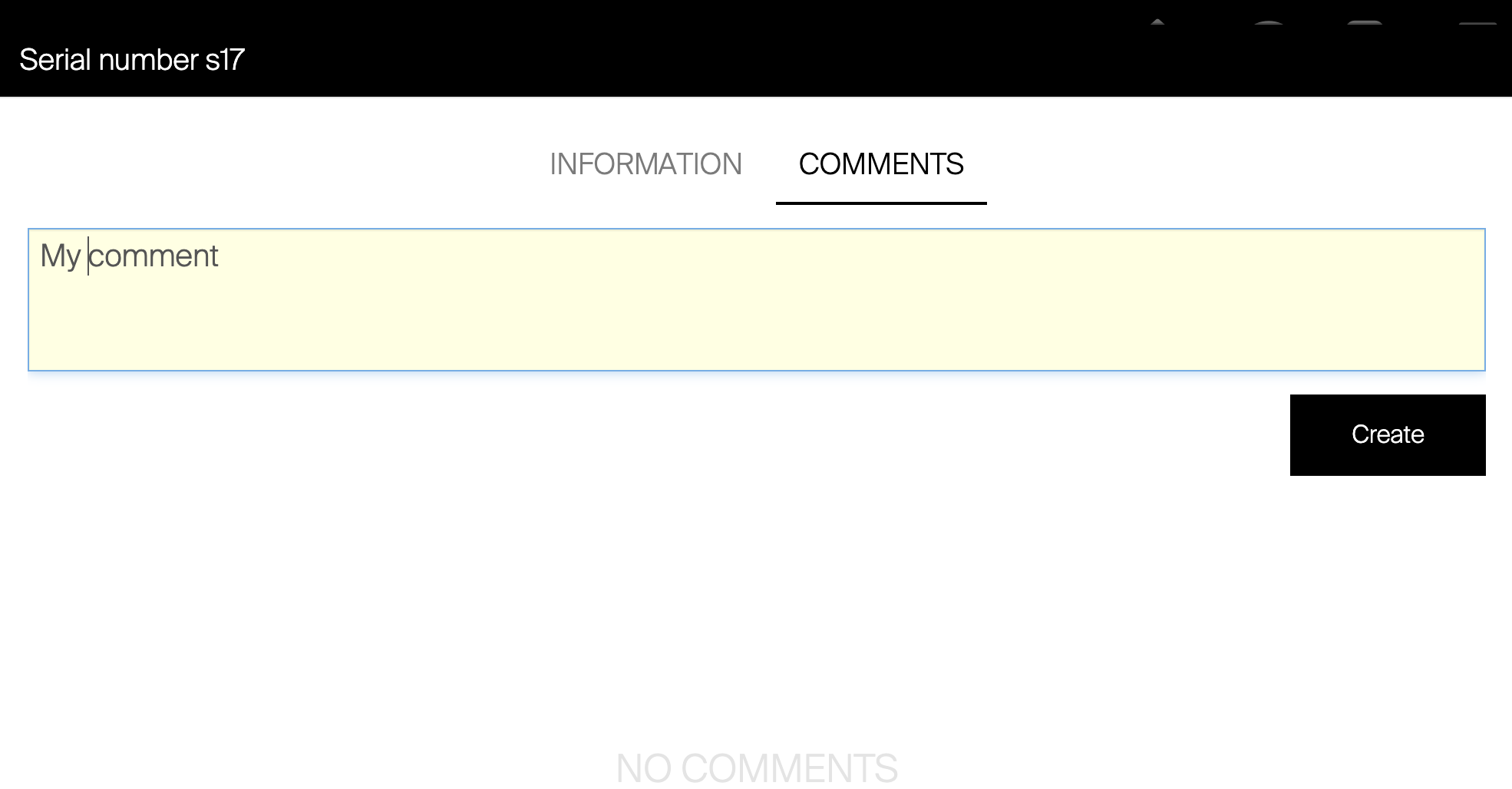
- You can add/view comments and documents to an instance (documents only available from Admin Portal). The comments will be available to view both in Admin Portal and ShopFloor interface.
- Related to Serial Number we also add new API endpoints to read/write date into the instance through API, this could be comments but also changes to state and date.
-
- Introduction of new item state “In service” to indicate when an item is sent for service.
This will help out to visualize where the tools are located.
- Introduction of new item state “In service” to indicate when an item is sent for service.
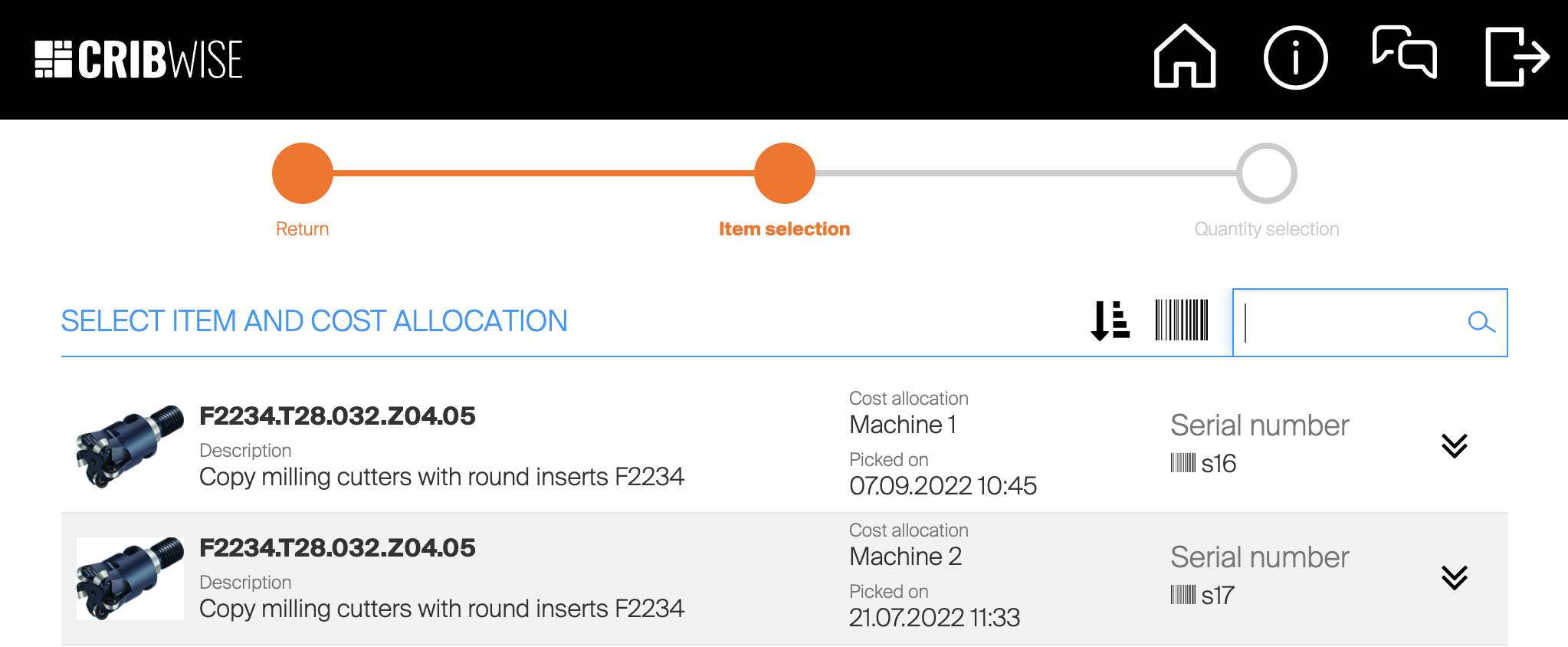
Improvement: Up until this release, users had to manually input the serial number and get the hits returned while typing or scanning. From this release forward, users can select the available serial numbers from a list. It is still an option to use scanner to read the serial number, but CRIBWISE now also offers a more intuitive way to find the correct tool rather than typing its serial number manually.
Transfer and Service list updates
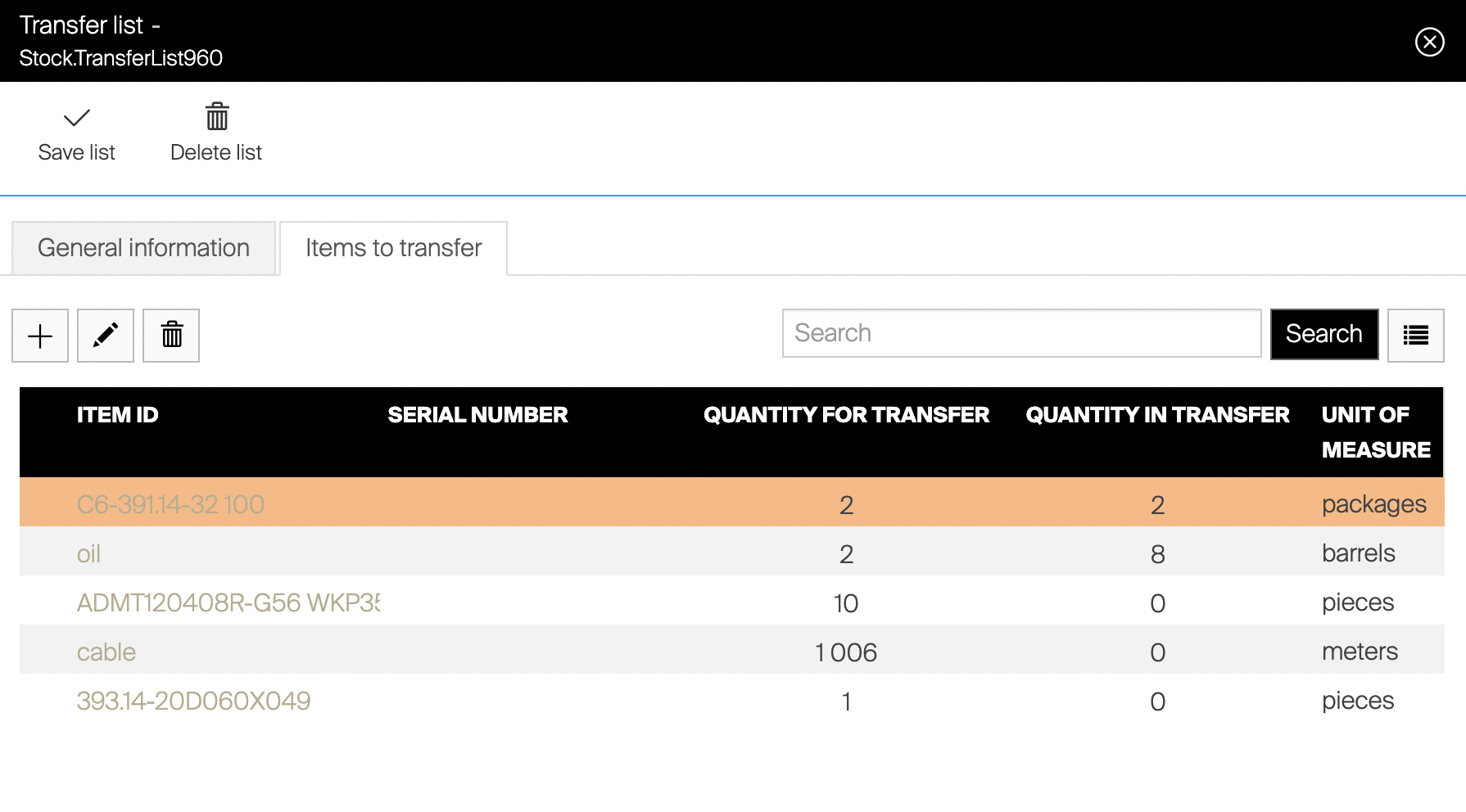
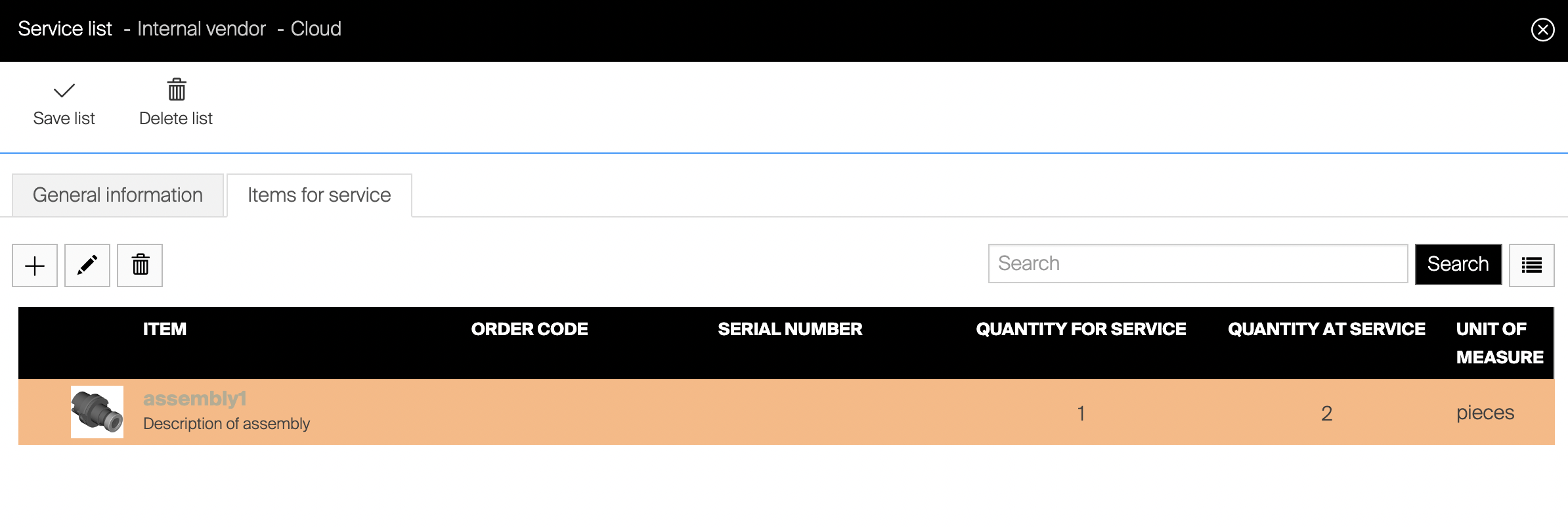
Previously, for both Service lists (internal vendor service process) and Transfer lists, CRIBWISE has continuously added items and values to these lists, making them very difficult to interpret.
The challenge has therefore been to see how much at service or in transfer at a given time.
From release 1.42, CRIBWISE now simplifies this handling by showing what is to be picked (quantity for) and what is at service/in transfer (quantity in) and therefore expected to be restocked shortly.
On top of the mentioned visualization changes, CRIBWISE now also offers the possibility to cancel remaining quantities on transfer lists directly in ShopFloor interface.
New cabinet capabilities AutoCrib LX1000 and VX2000
With this release, CRIBWISE now offers the possibility to control AutoCrib LX1000 and VX2000 cabinets. This expands over offering to also include two high volume/density machines in the carousel space.
Smaller improvements
- Display of Cost Allocation (CA) Step Names also available on TX750 machines
After reviewing feedback that the TX750 machine did not display the cost allocation step names this has now been changed. The threshold for removing the names has been set to a lower resolution than TX750.

Release information
You will no longer find release notes and manuals in the self-service portal. All documents will be available in our Help Center at https://cribwise.com/help-center
Release details
Admin Portal and Shop Floor Interface functionality added/changed
| Name | Description | Type |
| Support for barcode scanner on cloud SFI | Search field on SFI is automatically focused on cloud SFI, allowing to use barcode scanner for searching in SFI lists. This change is only for devices without touch support. | Improvement |
| Display CA step names on TX750 | Screen responsiveness rules updated to allow showing CA step names during pick on screen with narrow view port (like AutoCrib TX750). Step names are also now shown in page header. | Improvement |
| Stock-to-stock transfer management improved | Transfer lists now show only items remaining to be picked and items currently picked in transfer, waiting to be restocked. Item is automatically removed from a transfer list when there is no quantity remaining to be picked or restocked. Option to pick items against transfer lists is shown now only on devices from central stocks. | Improvement |
| Added support of stock-to-stock transfer for assemblies | Purchase scheduled scripts can now add assemblies to transfer list if quantity is requested for satellite device. | Improvement |
| Internal service flow management improved | Service lists now show only items pending to be picked for service and items currently at service. Item is automatically removed from service list when there is quantity remaining to be picked or restocked. Serialized items currently picked in service will have new state “In service”. | Improvement |
| Allow to pick more than requested by transfer list | If operator has privilege to change picked quantity, it is possible to increase quantity picked for transfer on central device above quantity requested by transfer list. | New |
| Allow to cancel remaining quantity on transfer list | Added option to cancel remaining quantity to be picked for transfer during pick for transfer flow. | New |
| Keep condition of item during transfer to satellite | Condition of item is now maintained during stock-to-stock transfer. During restock on satellite device, item is placed to location with the same rule as it had on central device. | Improvement |
| Serialized item instance detail | Added new view to serialized number instances (serial numbers). This view allows to see complete status and location of an instance and service related information. View also allows to upload/download documents related to an instance, transaction history and view or add comments. | New |
| Reworked selection of serial number on SFI | Selection of serial number during all flows on SFI, where specific serial number should be selected, has been improved to allow selection from list of available numbers, searching for number and usage of barcode/RFID scanners. It is also possible to see additional information about a serial number (like service information and comments) during these flows. | Improvement |
| Reworked setup of new serial numbers | Creation of new serial numbers during assign and restock flows has been reworked to provide better user experience. | Improvement |
| Set target service date per instance | It is now possible to manually set target date, when service will trigger, per each serial number. The date is possible to set from AP or from SFI during assign item to location or during restock. | New |
| Comments for serialized item instances | It is now possible to comment each serial number instance from AP or SFI and see comments from other users. | New |
| Extension of API | API has been extended to support operations for serialized items, their documents and comments. | New |
Admin Portal and Shop Floor Interface issues fixed
| Name | Description |
| Currency on order shown incorrectly after update of ordered item | When order is in vendor specific currency and ordered item is updated from AP (f.e. received qty increased), currency label for that updated item is switched to system currency after the change is saved. Reload of the order will display the currency label correctly again. |
| Some entity lists are changing delete button name to plural – inconsistency | When selection mode is activated, some labels are changed to plural, but some not. |
| ReceiveItems/Update not sets service type | When service is activated for an item via batch API endpoint for update items, service Type is not set to “Service” and remains empty. |
| Multiple CA text steps not clear entered value | When there are multiple CA text steps, text input for the step will show value entered in previous text step. |
| Currently processed item on SFI is not always visible | When list of items to be processed on location controlled device is long during any flow (f.e. pick, restock), currently active item in the list could be hidden. Operator must scroll in the list to see what item should be picked/restocked in currently opened location. |