
Release overview
The main capacity of this release has been in the application performance area, here we made improvements in backend services.Areas that should be noticeable is reporting and list view speed. More details can be found below.
Highlights
IDEAS portal
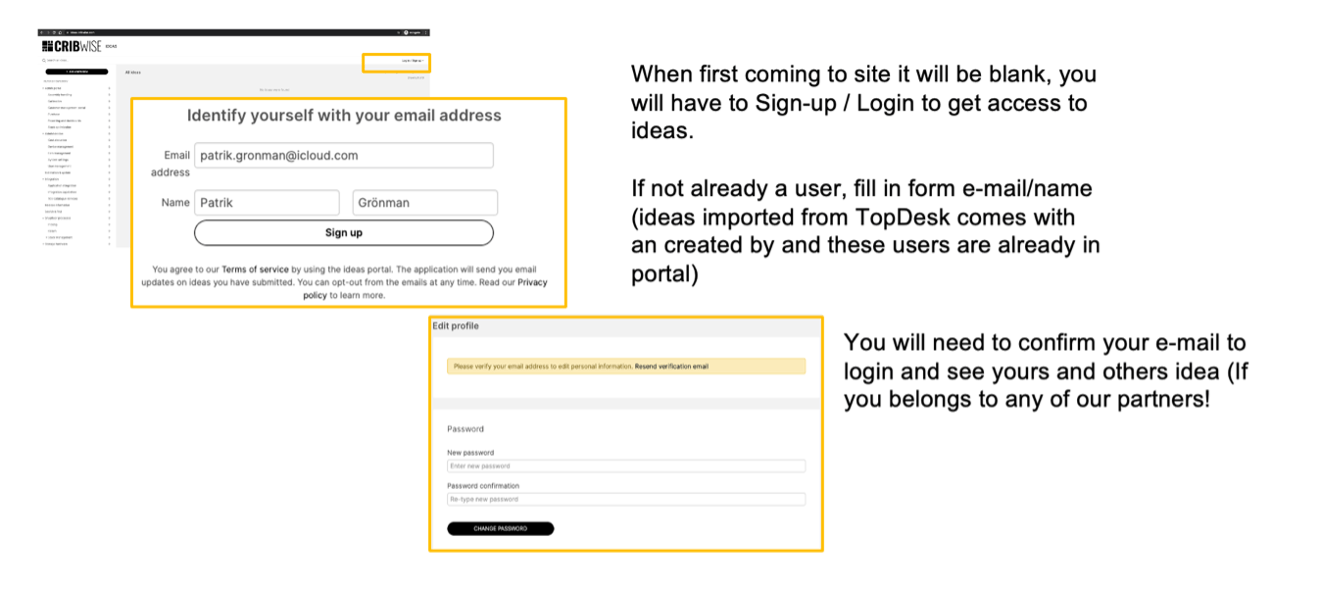
We are now launching an CRIBWISE Ideas portal that will replace the Improvement flow in TOPdesk, (all ideas from TOPdesk have been migrated into the new portal).
The ambition with this change is to become more collaborative around ideas to be developed. Have more direct updates on statuses from our product management tool Aha, like when an idea is planned you as requestor or subscriber gets notified directly!
You will be able to comment ideas, subscribe to and vote for ideas you find interesting. You can find the portal at https://ideas.cribwise.com/
Import of quantity at Go-live of CRIBWISE
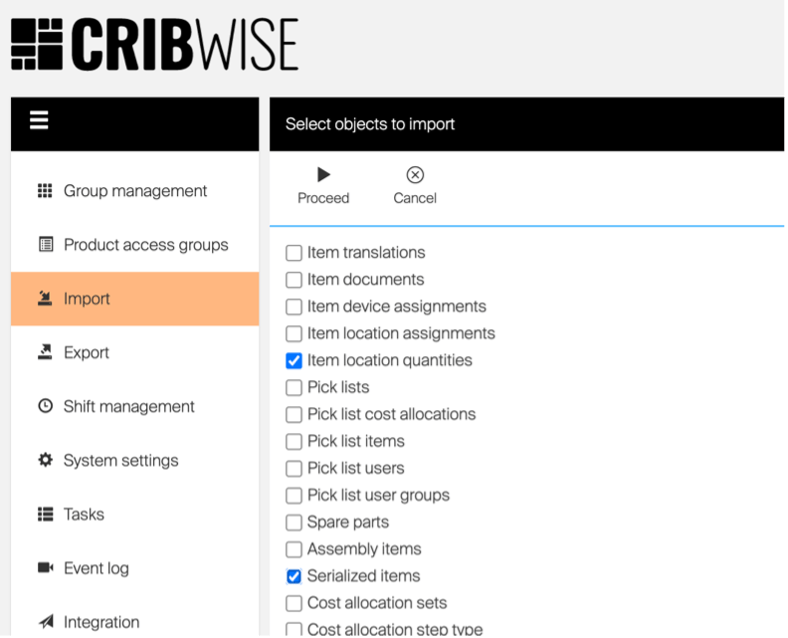
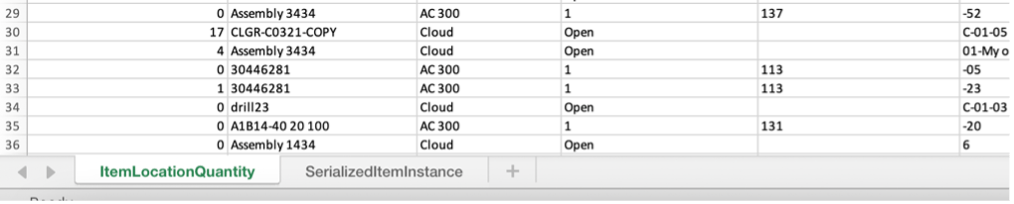
During spring 2021 the capability to import quantities through excel import was removed in assignment data import. We had to many issues with customer accidently importing wrong values from old files causing big discrepancies in stock levels. To speed up any migration and go-live activity of a customer, we have now made this available again through two separate tabs in the import function. (Currently the only option to change stock values have been directed to the inventory function upon go-live, which is time consuming on a go-live day when you already know the qty in stock from other system) The function now available is in two separated tabs one for serialized instances and another for all other items. Note that devices targeted for quantity update needs to be in status Not released or Locked, for quantities to be updated.
Update in Quoted/Special tools order process
For items today classed as Quoted in item management there is no good process to place these items on order as scripts do not pick-up quoted items during run. The reason for this is that usually you will need to request a quote from the vendor before the order is placed. Up to now the only way to get notification when a quoted item need replenishment is to set notification on item level. Now we have extended the data source of assignment data in reporting with the quoted tag. By doing this you can schedule a report filtered on “quoted items” and “reached order point” and use the missing to max qty to indicate the quantity to be requested for quote to the vendor.
New feature for satellite stock
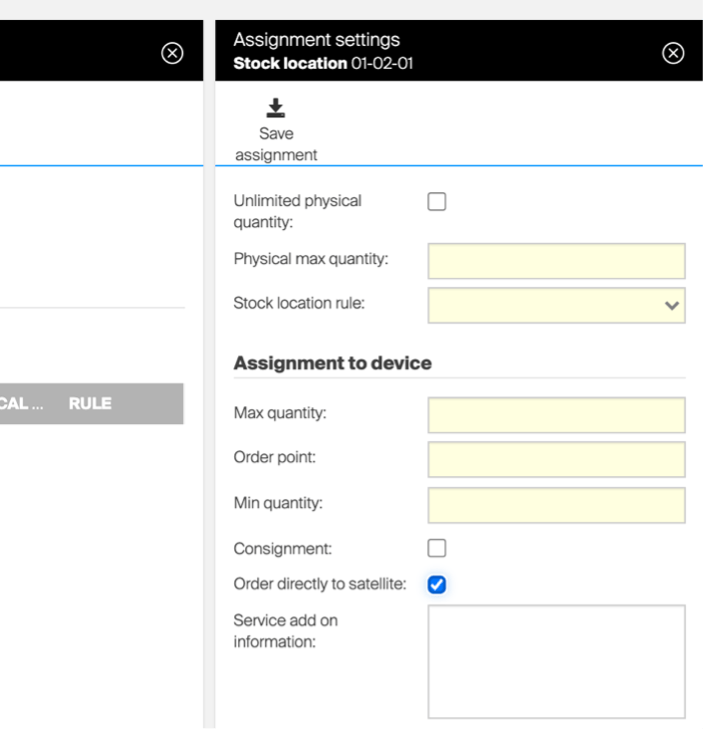
For devices belonging to stocks defined as satellites we now offer the opportunity to source items directly to this device. The flow has been that all items need to be replenished through central stock associated to a satellite. Now, this gives the opportunity for an item not appropriate to consolidate in central stock to be replenished directly, one case we have received is oil barrels. This function is activated in the item/device assignment but can only be set/activated from Admin Portal to avoid any person with assignment right on shopfloor to change sourcing process.
Choose condition on returned item
We have experienced issues in the return process, the concept has been to consolidate a quantity of items picked to a physical location and upon return select item and physical location. However, the consolidation creates a problem if you want to “cancel” a pick of refurbished item, then the current process will return this item as used and not place it back as refurbished in stock.
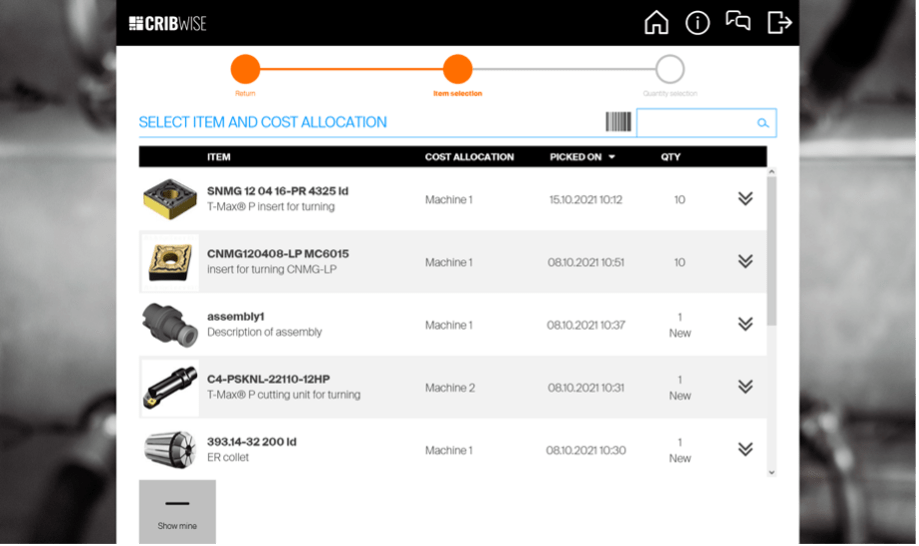
In the new concept you will see the list of transactions made and you can choose a transaction to “cancel” and return the item to the same state it was picked from.
Release details
Admin Portal and Shop Floor Interface functionality added/changed
| Name | Description | Type |
| Extension of data source for assignments | Data source showing data about item assignments and quantity in device now contains information if item is quoted. | Improvement |
| Optional pick list and return list summary | Step summarising all items to be processed for pick or return on SFI can be now skipped automatically, making picking or returning process faster. | New |
| Import of changes on physical quantity | Import from Excel file now allows to change or set physical quantities in locations. Any change of the quantity is covered by transaction. | New |
| Selection of item for return reworked | During return of item, all available items for return are now shown in a list ordered by date of pick. The list allows to identify specific pick which should be returned. It is now possible to return the same item from multiple physical locations during single process. | Improvement |
| Optional reason code for inventory | Reason code for inventory can be now set as not required when expected quantity in location differs from real quantity. | New |
| Sorting of drop down lists | Content of relevant drop down lists is now sorted alphabetically where it makes sense. | Improvement |
| Order directly to satellite device | For specific items in satellite devices it is now possible to order goods directly to that device instead of request the item from central stock. | New |
| Extension of sending interfaces | Sending ERP interfaces for orders now contain information about target device and expected delivery date of items. | New |
| Changed references for order related Web API | It is now possible to use item ID to reference items in orders via orders API instead of technical ID. | Improvement |
| Performance improvements | Several improvements to increase overall system performance on Admin Portal and loading of reporting data. | Improvement |
Admin Portal and Shop Floor interface issues fixed
| Name | Description |
| Issue with SFI connection for new Chrome version | New version of chrome / edge disconnects SignalR after five minutes when the tab is not active in the browser. |
| Infinity symbol size | Size of infinity symbol when maximum quantity in location is unlimited is incorrect. |
| Adding item to pick list can stuck picking flow if only single item is available | When there is only single item available for pick (as a result of CA restrictions, other restrictions or simply there is only single item in a device), it is automatically selected during item selection step. This behavior is causing problem in case, when such item is added to pick list, as user is always navigated to quantity selection screen of that item, from which the picking cannot be invoked in this case. |
| Available serial numbers for return not shown properly in specific case | In very specific case, during return of serialized items to open storage, available serialized numbers for return are not shown properly – some serial numbers are missing. |
| Transfer list quantity change – internal id used in dirty check | While changing requested quantity of an item on transfer list and closing the blade without saving, dirty check shows internal item id (Stock.Itemxxxxxx) instead of business ID. |
| Location not offered for return | When item is selected to be returned as new, system does not offer location for return, even though there is existing assignment to location with available quantity. |
| Wrong title for “Load ID list” button for catalog import | Title shown for buttons to load list of IDs for catalog import shows “Upload customer logo” text. |
| VENDOR_ID tag in order template is not filled correctly | Tag <VENDOR_ID> available for order templates is filled with internal entity ID instead of vendor business ID. |
| Invalid GER translation | German translation for “Value” field used in raw transaction data source is incorrectly set to “Object”. Should be “Wert”. |
| Delete PAG from list of PAGs – internal id in toaster | Deleting Product Access Group from list of access groups – internal name of group in toaster – BUG (While group is deleted from within its detail – toaster contains group’s name – OK) |
| Special characters in Excel import file name not handled properly | When Excel file with special characters in name is imported (like f.e. “ö”), and this file is downloaded back (by error sheet or by option download imported file), name of downloaded file is corrupted. |
| It is possible to create entities using ERP with name/ID consisting only from white spaces | It was discovered that it is possible to create entities in the system using ERP interface which have name and / or ID consisting only from white spaces (like spaces / tabulators etc.). |
| ASK dispense can stuck | In case, when pushing a product from shelf is finished faster than usual (like dispensing of small boxes which are filled to the edge of a shelf), SFI can miss this part of dispense process, leading the dispense will stuck on SFI side. The product is still dispensed, but rolo is not opened. |
| Notification is not displayed if item is selected through search bar | Notification for specific item is not displayed properly when user in Restock -> Receive goods select received item with allowed notification through search bar. |
| Purchase on screen notification does not work | Purchase notification is not displayed in AP. |
| List of orders not shown in case of high number of different vendors | If number of vendors is high (in customer’s case around 120) and there is a lot of orders for different vendors, list of orders cannot be shown on AP. |
| ASK – Showing location by LED pointer not working in some cases | When item field which is set as first field for SFI item identification is empty, it is not possible to show location by LED pointer (pusher) during assignment or inventory. |
| Scheduling report / script may fail due to day light saving time shift | During analyze of the exception bellow from the production logs it seems that the problem occurs during calculation of the next time when the report should be sent in a case when the next scheduled time is calculated to be withing the time period which is skipped because of the day light saving time shift. |
| Synchronization of on-premise device not started | Synchronization of one on-premise device is not working. The workaround here was to restart the application (or the computer). |
| Synchronization of the item categories may fail when there are more than 2 levels in the categories structure | Where there are more levels of the hierarchy in the item categories than 2 there is a random chance that the synchronization of the item categories fails. |