
Release overview
On Sunday evening, October 23rd, we will deploy a new version of CRIBWISE. The Administration Portal (AP) and cloud devices will be down for a few minutes during the update. This new release is filled with many interesting changes. One key area that has gone through a major update is the item view on the ShopFloor Interface (SFI), we now offer the possibility of showing more item documents like dxf and pdf files!
Highlights
Visualising pdf- and dxf files on the ShopFloor Interface
We are happy to finally release this frequently requested function, where we now are able to show more than just a picture related to an Item on the ShopFloor Interface.
We have enabled functionality to show images, dxf and pdf files.
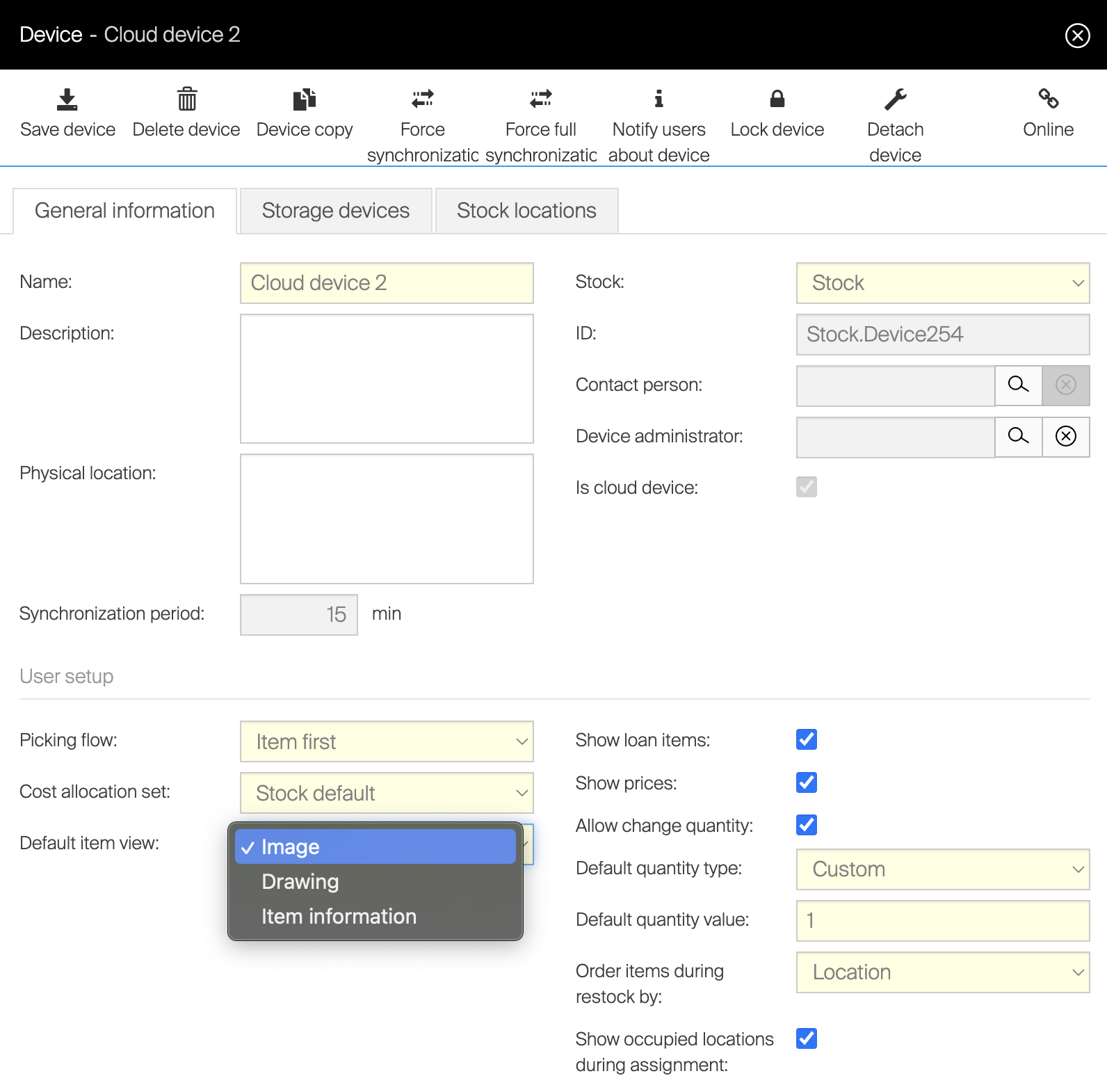
New capabilities Customers can choose what information to show as default in SFI pick screen, this is managed in device settings.
Choose which tab/information to show as default in the ShopFloor Interface (Image/Drawing/Detailed item information). If not actively changed by customer, image will remain as the default option.
SFI will have capability to show .dxf, .pdf, and picture formats.
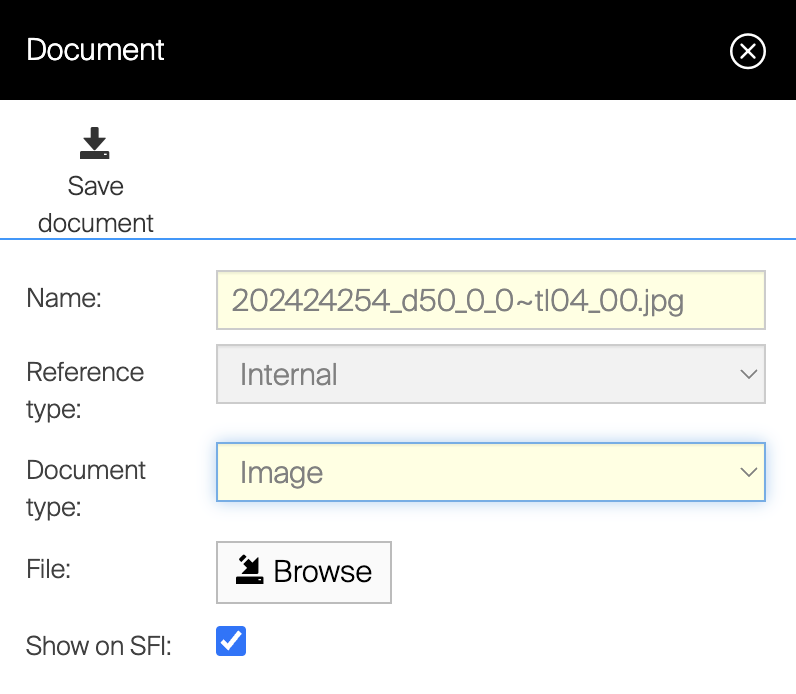
Except for the predefined tabs in pick screen (image, drawing and information), users can also view additional files attached to the item. The files must be uploaded in supported format and tagged as “Show on SFI”.
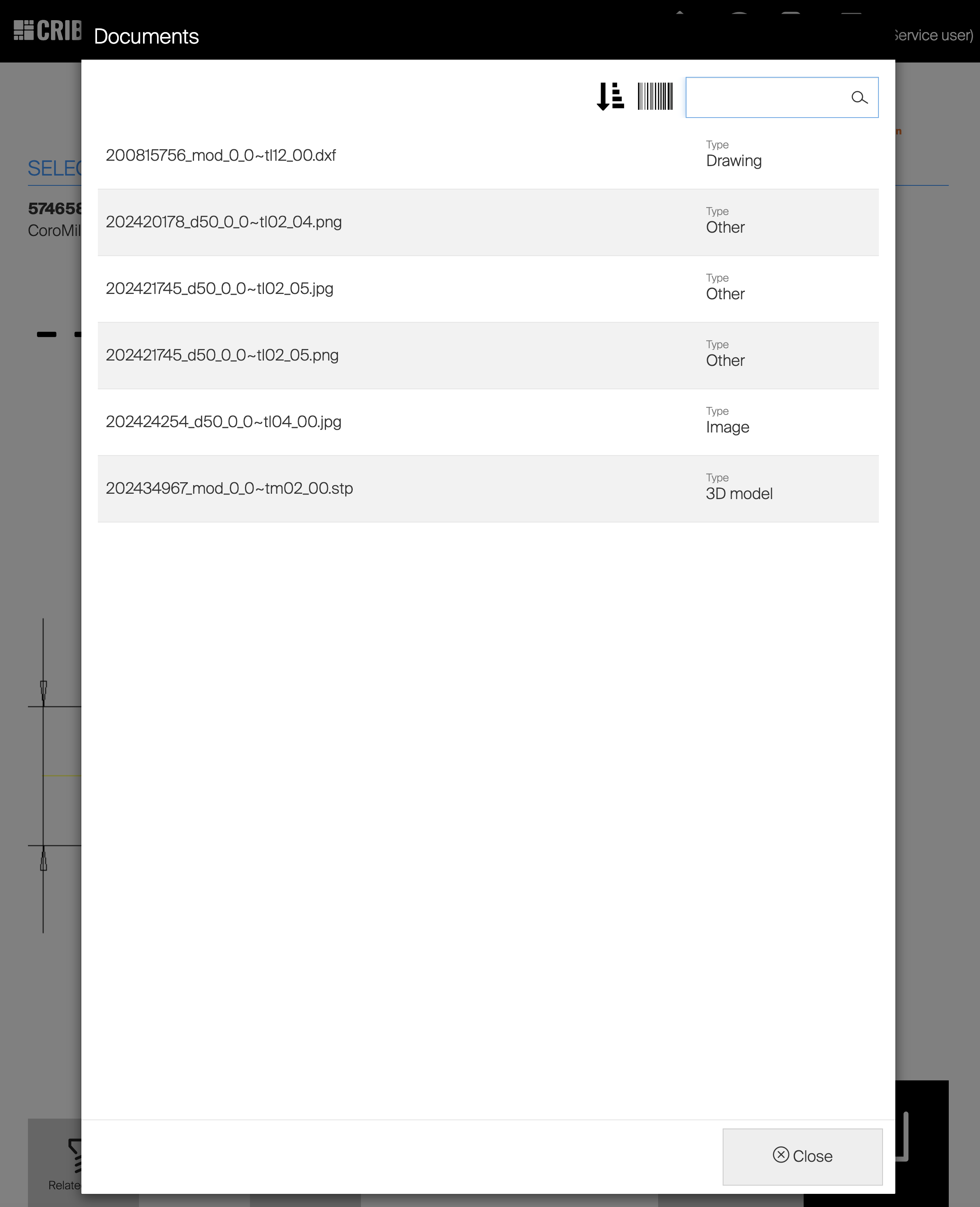
By clicking the document icon on SFI, a list of all available item documents are shown to the user. Remember that the option “Show on SFI” must be selected. These documents can then be opened in a full screen window by choosing wished row.
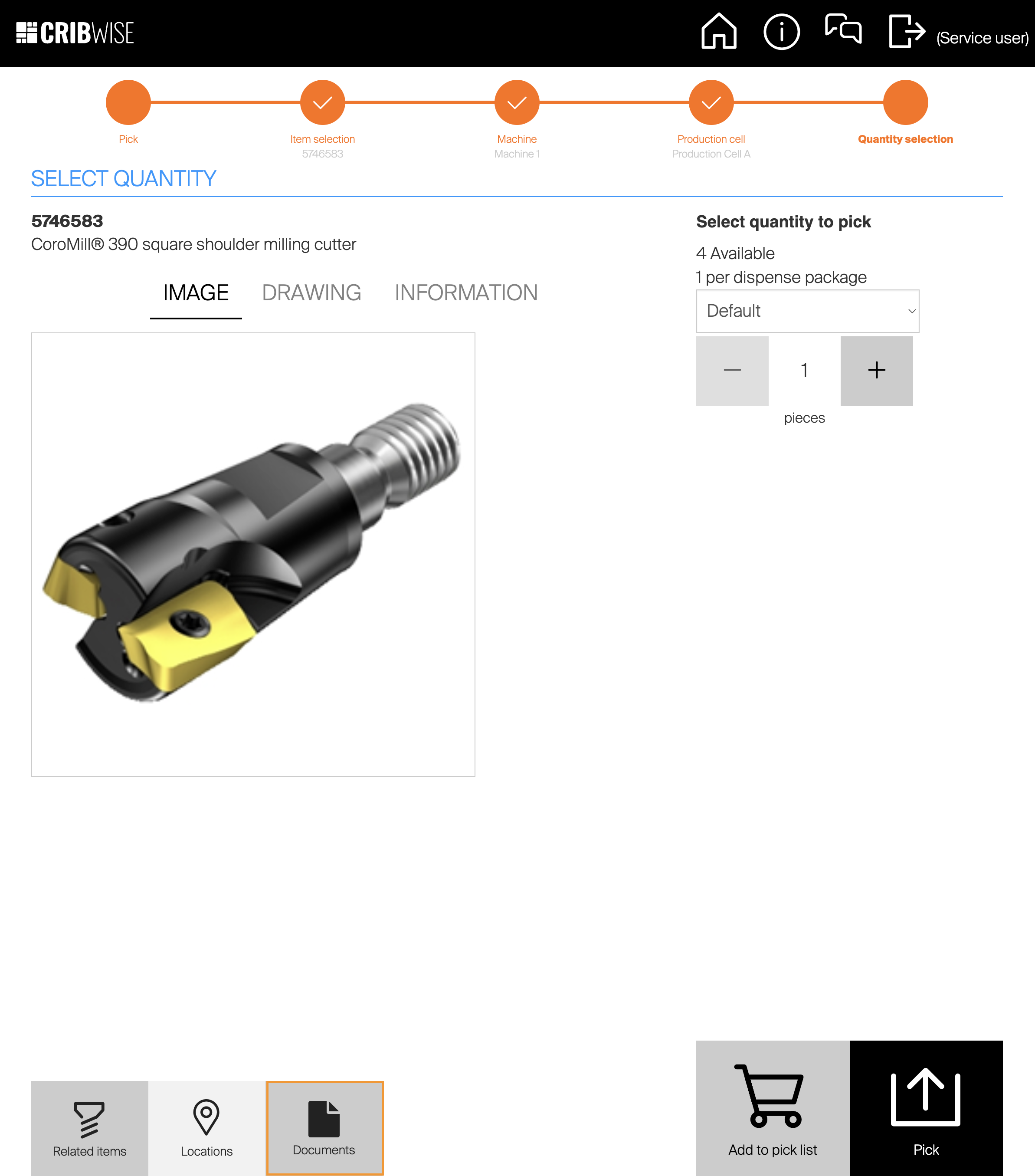
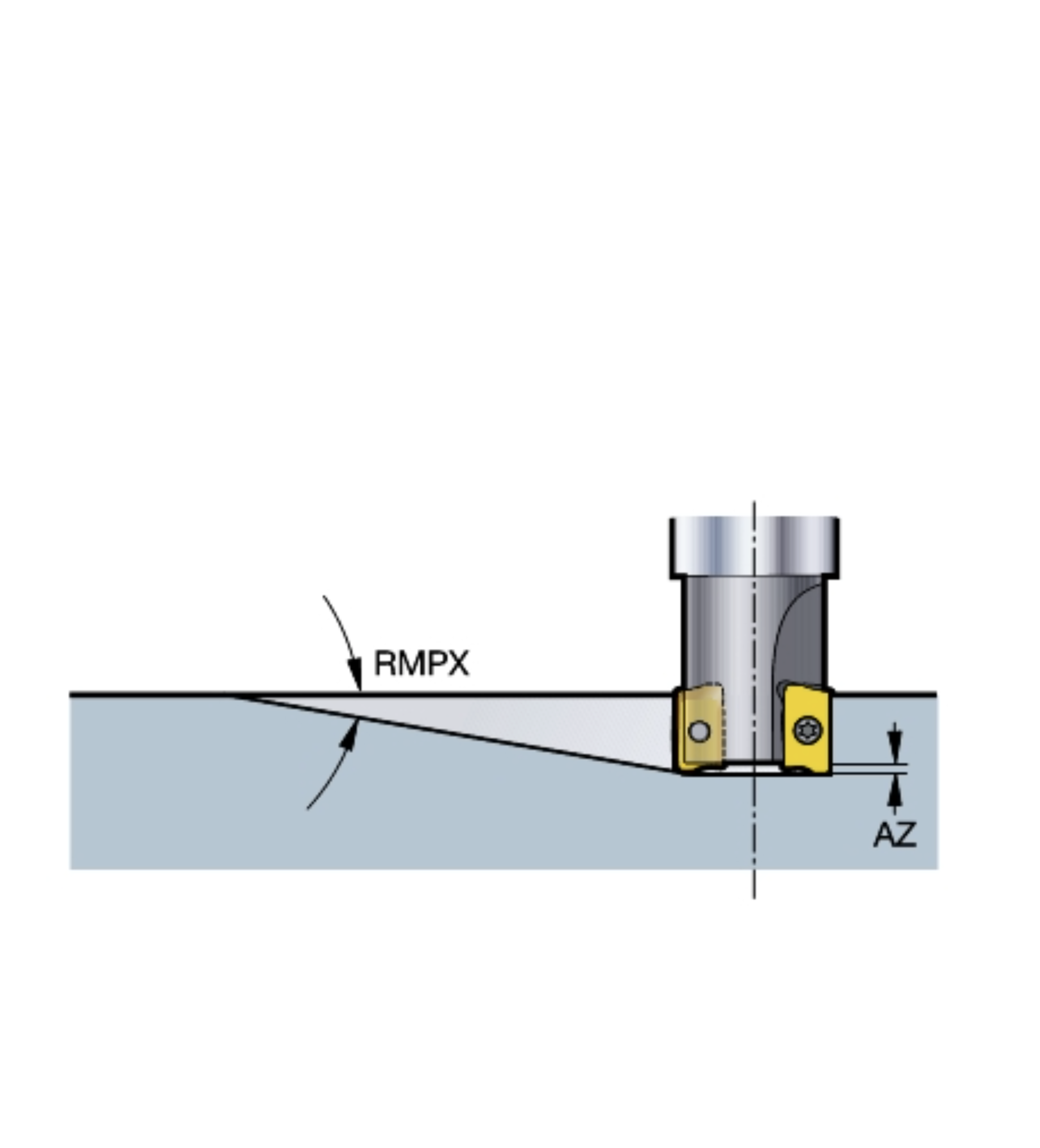
Users can also expand the document to full screen by clicking directly on the picture/document displayed in Pick view.
Maximum order value
CRIBWISE have previously offered a setting to define a minimum order value on vendor detail. The purpose of this setting is to restrict automatic sending of orders below a specified value.
For example, the customer might be charged the freight cost if the order threshold is not reached.
Now CRIBWISE introduces a maximum order value with the purpose to allow customer specific approval processes.
For instance, if an order value exceeds a defined threshold some additional approval steps might be needed. I
f this is the case for some suppliers, and if orders are automatically created through order scripts, this will result in suggested orders. A manual approval is then needed to set the order as active.
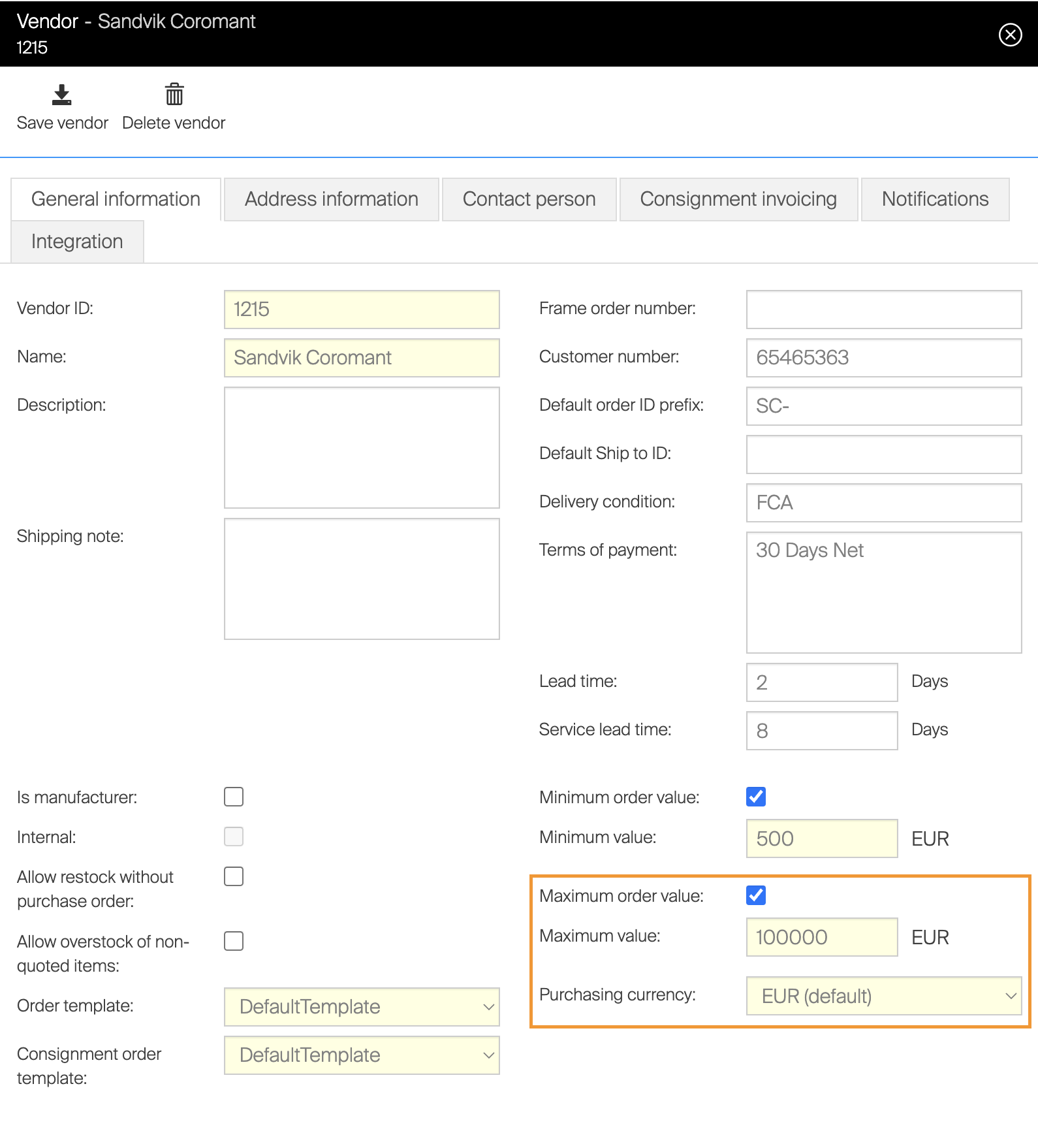
With any of the Min and/or Max order value settings, customers must make sure the correct notifications are used. This is important so that the appropriate manual actions are carried out without causing delivery delays.
Improvement in the Assign Item flow on SFI
In the Assign Item flow, users have had the option to select “Show empty locations”. This option has allowed a filtering to only show locations with no other item(s) already assigned.
From this release onwards, CRIBWISE will make it possible to select if “Show empty locations” or “Show all locations” will be the device default.
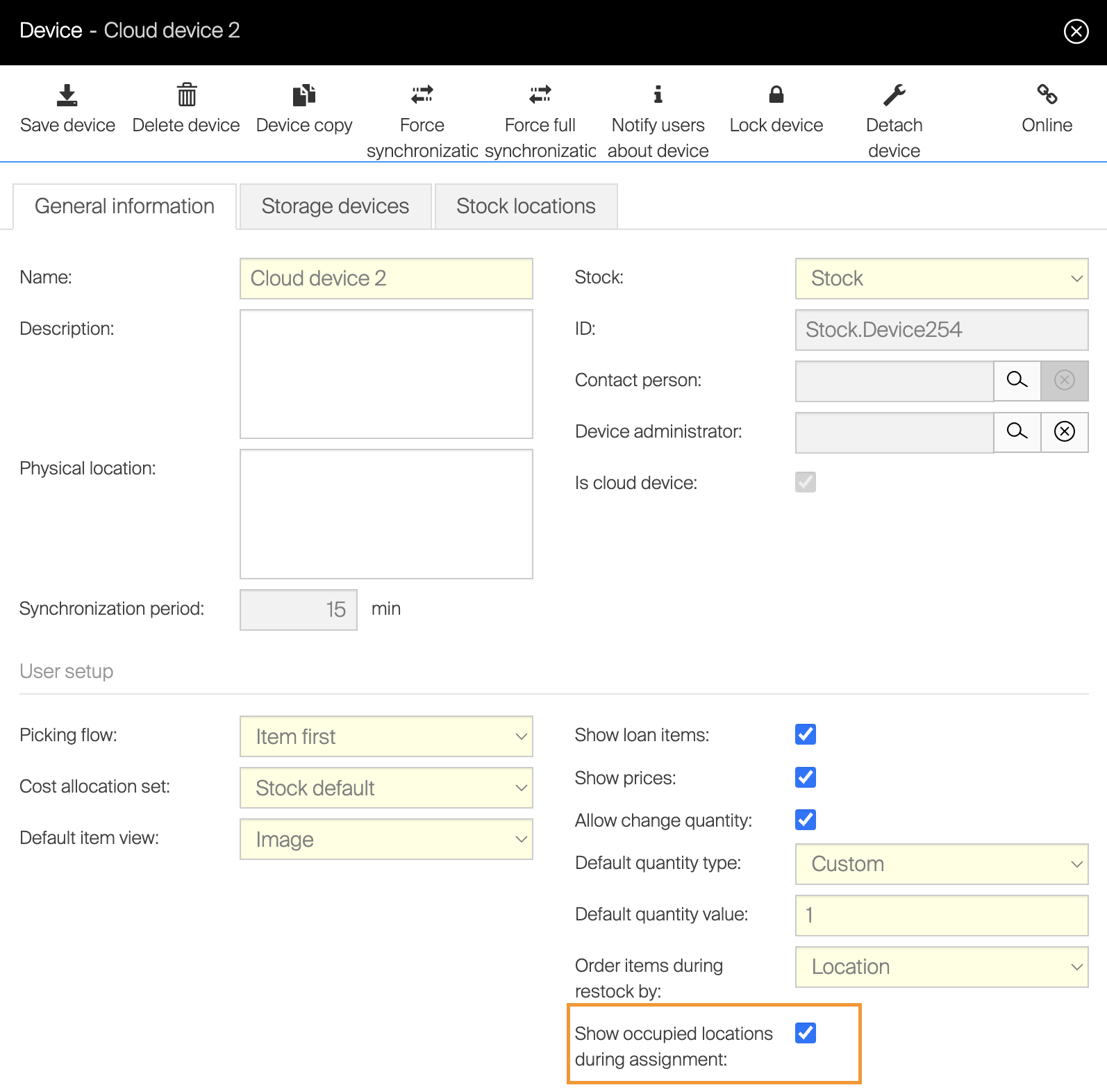
As before, the same toggling between “all” and “empty” is possible, but now the default can be determined by the device settings.
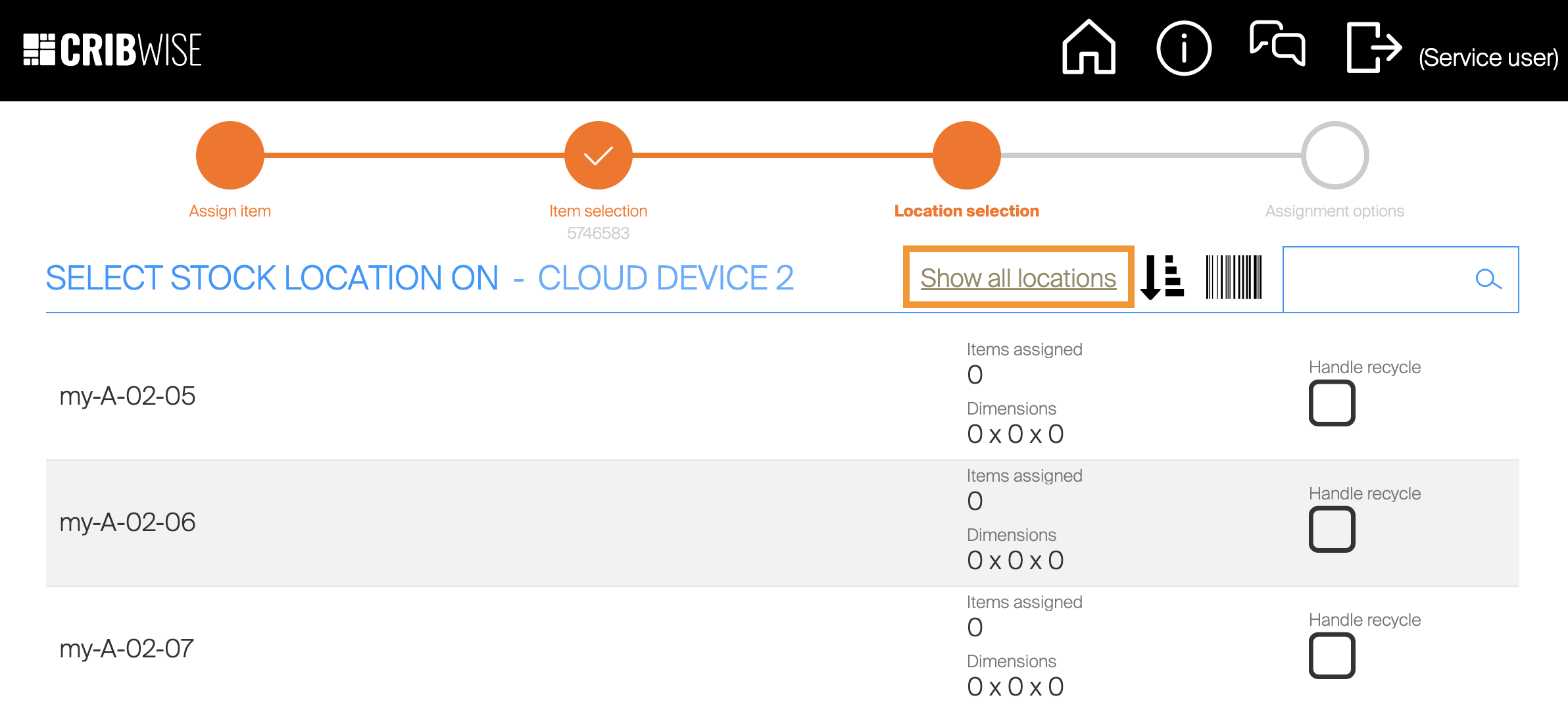
Unified look and feel in action buttons on ShopFloor interface
CRIBWISE unified the action buttons in Shopfloor interface for this release. Some inconsistencies in both sizing and placement of buttons between open storage and different physical devices has been present in the past. This has now been improved by defining the action buttons as primary and secondary. Primary actions are bigger and always placed to the right with unique colouring, the secondary action button will always be smaller, placed to the left and in a less highlighted colour. This change can be seen in most of the flows and should give the same user experience regardless of flow and device type.
More API end-points added related to Items in the CRIBWISE Integration platform
CRIBWISE now introduces more end-points to item object as PUT and POST requests. With this improvement CRIBWISE offers full capabilities to Create, Update and Delete Item Object through the API management platform. You can find more details related to the end-points on the CRIBWISE API management platform.
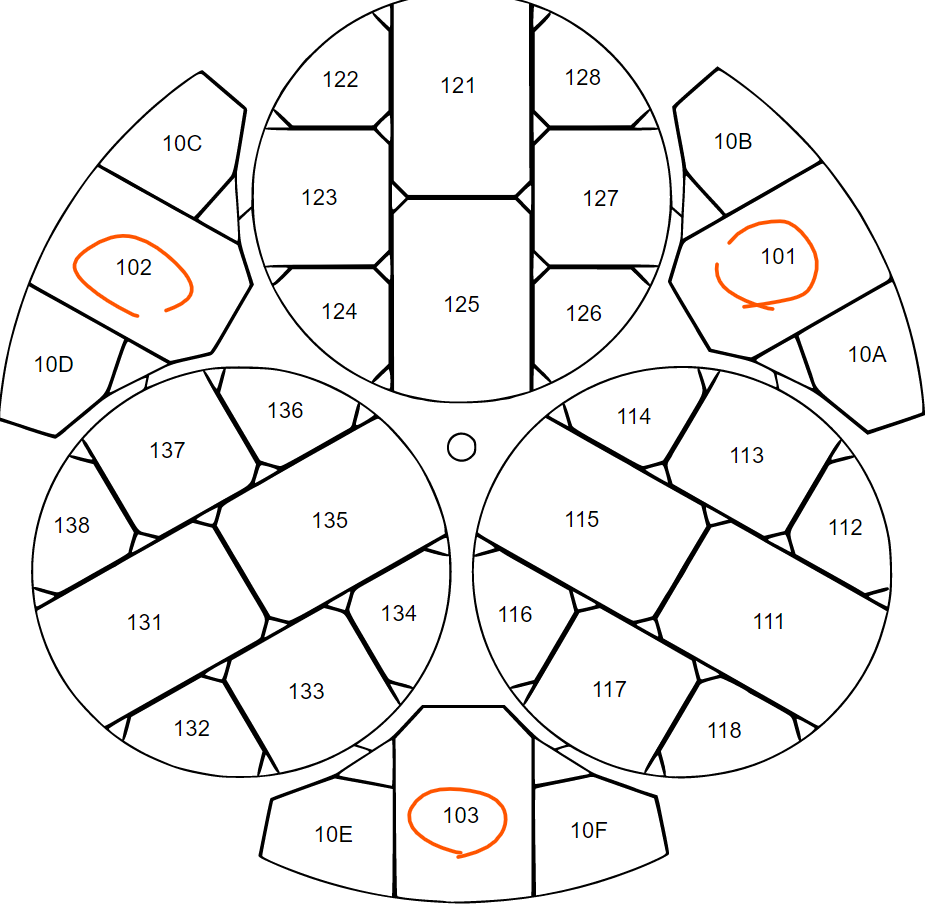
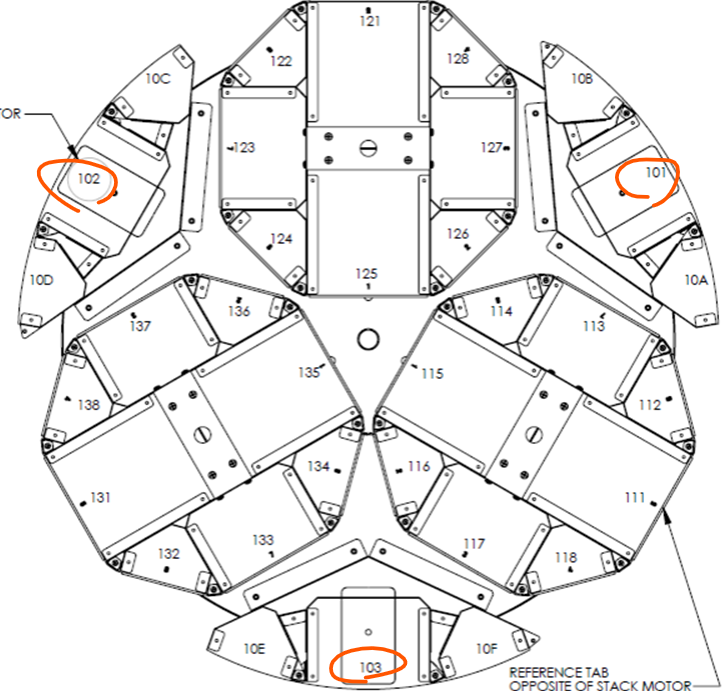
Improved stock layout on AutoCrib TX750
The illustrations have been updated to better represent the physical size of the actual bins based on feedback on the location management flow for the TX750 machine. With this change it will be easier to identify which location an item best can be assigned to.
 .
. 
Smaller improvements
- Reset password upon first login for Excel import (True/False)
Before this release it was only possible to manually select if a user should be forced to change password at first login via the admin portal. This option is now available through Excel import of users. Note that CRIBWISE always recommends that individual users manages their own passwords. - Improvement in retry of sending order
A new retry policy for orders that are not successfully sent to their target is introduced. For next coming release this will be enhanced further with notifications and visual alert in user interface. - Application download from base URL fixed
There has been an issue to manually download the latest installers from respective base url like https://app.cribwise.com/aps, this is now fixed and working as expected.
Release information
You will no longer find release notes and manuals in the self-service portal. All documents will be available in our Help Center.
Release details
Admin Portal and Shop Floor Interface functionality added/changed
| Name | Description | Type |
| Display documents on SFI | Documents can be now marked as available on SFI and displayed during picking or returning flow. Documents of supported formats can be directly opened during these flows (JPG, PNG, GIF, PDF, DXF). | New |
| Set default item information shown during picking and returning | It is now possible to set what item information is shown by default during picking and returning process – item image, drawing or item details. This setting can be specified on device level. | New |
| Download additional documents from external catalogs | If available by external catalogs, item drawing and 3D model is downloaded as item document once item is downloaded from these catalogs. | Improvement |
| Update of TX750 layout model | Model (top view) of TX750 columns during management of this machine on SFI has been updated to reflect real location sizes more accurately. | Improvement |
| Allow to force password change via Excel import | Field to set if user must change password during next login has been added to Excel import/export. | Improvement |
| Allow to show only empty locations during assignment of new item by default | New device setting has been added to specify, if only empty locations should be shown during item assignment flow by default or also locations with items already assigned are shown. | New |
| Unification of open storage manipulation screens | All manipulation screens for open storage (screens with confirmation of placement or withdrawal of items from locations) has been reworked to use same style of controls for all flows. | Improvement |
| Maximum order value for vendor | New vendor option has been added to set what is maximum value of an order which can be sent to this vendor. In the same way as the minimum value, this setting can block automatic sending of order in case the limit is violated. | New |
| Synchronization of picked items from Admin Portal | All picked items are now synced from Admin Portal during first synchronization of a new SFI, allowing to reinstall SFI without losing any data. | Improvement |
| Automatic re-sending of orders and invoices and order activation improvements | Once sending of order or invoice to vendor fails, the sending will be automatically tried again after a time delay. Each sending of order or invoice to target is logged in event log and user sending an order will receive on screen notification informing if sending has been successful or if sending failed. | Improvement |
| Extension of public API | Public API has been extended with options to create or update items. | New |
Admin Portal and Shop Floor Interface issues fixed
| Name | Description |
| Layout for restock of items with special handling is not correct | Number spinner to select quantity in location during restock/return of items with special handling is not shown on right side of a screen. |
| Value deviation for inventory on SFI not rounded | Value deviation shown after inventory on SFI is finished is not rounded to two decimal places |
| Manage items screen not accessible | Delete of the item on AP + creation of assignment on SFI during ‘same time’ may cause a problem on ‘Manage items’ on SFI. |
| Not possible to order lines in orders/lists by item column | It is not possible use column “ITEM” in orders and lists to order items. Ordering by any other column works properly. |
| Item overview export – only one line is exported | When there is active advanced filter on item overview, export can result in unexpected number of lines shown in exported Excel file. |
| GL Account in exported excel is in wrong column | When items are exported to excel the GL Account field is wrongly positioned in column ‘CC’ (after the columns reserved for the category hierarchy). |
| Cannot use mass update in order if purchase units of measure is not pieces | If item in order is purchased in different unit of measure than dispensed, mass update to set new quantity of this item is not possible – mass update always works with pieces. |
| Physical max is not adjusted by inventory | When physical quantity set by inventory is higher than maximum physical quantity set on location, the physical maximum quantity is not automatically adjusted. |
| Not possible to use address for update of SFI as “/APS” | It is not possible to use address of AP Store (serving to update SFI) in form “<base URL>/APS”. For each brand, address must have specific ending |
| Device not synced 30 days is not working as expected | When user with proper permissions logs in to a device, which has not been synced more than 30 days, there is no indication about no action available. Buttons in the top bar cannot be pressed, user cannot logout. |
| Forced synchronization caused duplicated device assignment in the database | Reported exception during opening of the item overview and impossibility to send orders. Analyze showed that the issue was caused by very rare race condition during synchronization (when one standard synchronization is cancelled by forced synchronization from AP) creating duplicated device assignments of one item in the database. |
| Styling for SFI date picker invalid for SECO branding | On SECO branding, days of current month in SFI date picker are not visible. |
| TX750 layout is misleading | Layout of column during setup of TX750 machine shows position 60, but this position has no real height in the machine. This is causing confusion when location reaching this position is created. |
| SFI not able to sync due to number of events | In case of higher number of events (typically high number of vending machine operations), SFI can fail to sync these events to AP. Due to that, synchronization is not possible to finish. |
| CD manager self update is not working | Self update of CD manager is not working. |