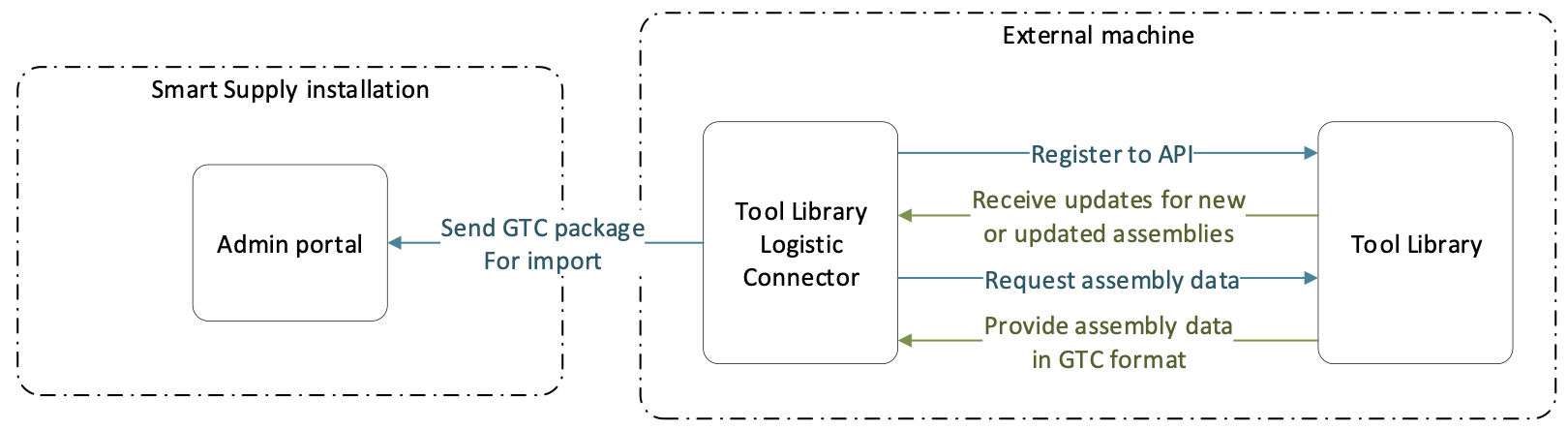
System allows to receive new or updated assemblies from Tool Library and import contained items. Item data transfer is using GTC package v2.0 format.
Mapping of information from Tool Library corresponds with description in GTC package import.
To connect the system with Tool Library, install Tool Library Logistic Connector to machine, where Tool Library application is running.
After the Connector is successfully installed, all items in new or updated assemblies created in Tool Library will be created also in the system, if they are not exist there. If item from new or updated assembly already exists (decided based on item ID), existing item is not updated.
New items created from Tool Library will have status Defined (Imported) and no vendor selected. To start using these items, select a vendor and changed status to Released.